
Welcome to your THEOS wireless system. This guide covers what comes in the box, the parts of your transmitters and receiver, and how to activate a THEOS global-version kit using the Sidus Audio app.
What’s in the Box
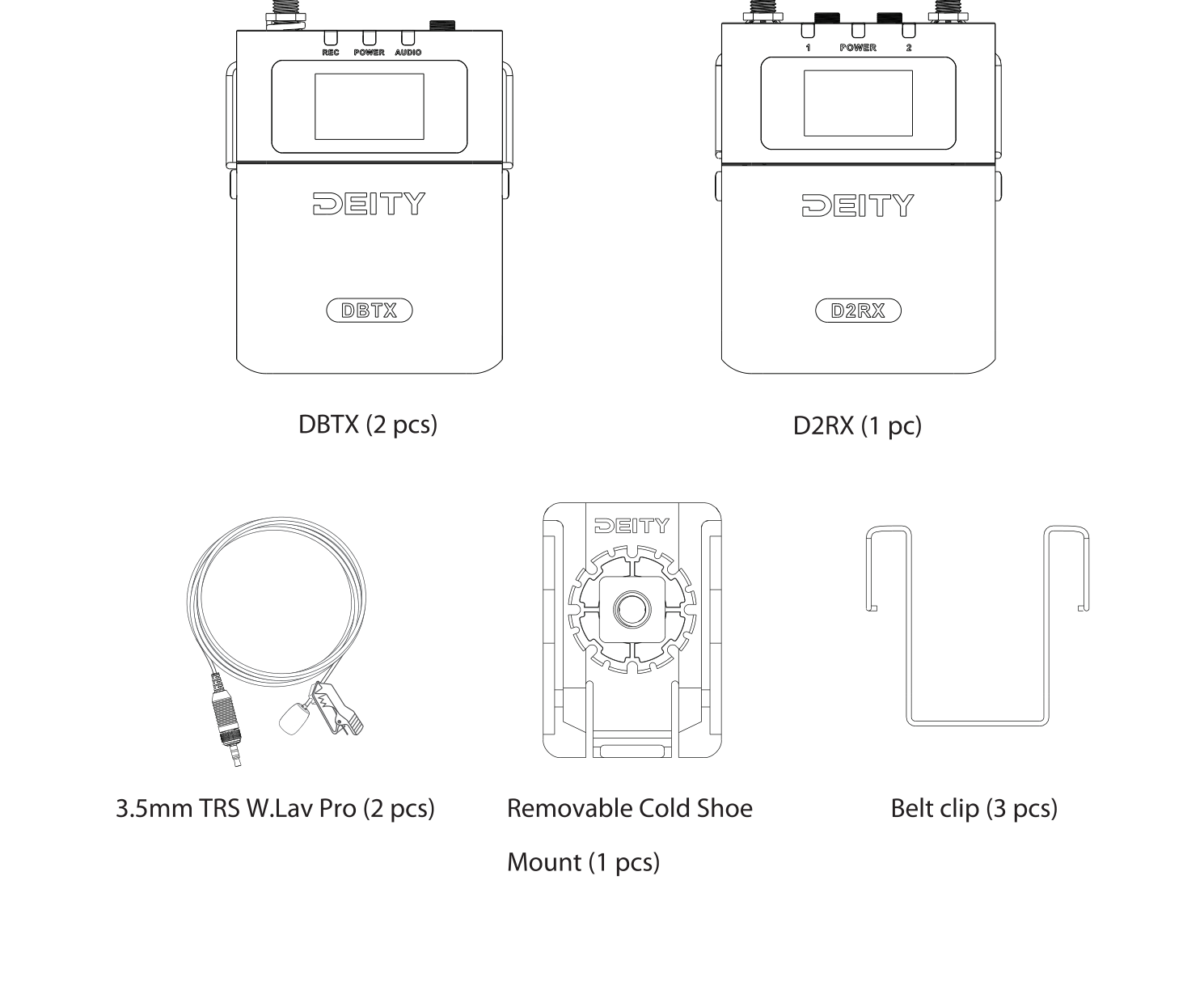
Your THEOS 2-Channel Kit includes:
- DBTX bodypack transmitter (2 pcs)
- D2RX dual-channel receiver (1 pc)
- 3.5mm TRS W.Lav Pro lavalier microphone (2 pcs)
- Removable Cold Shoe Mount (1 pc)
- Belt clip (3 pcs)
Get to Know Your THEOS System
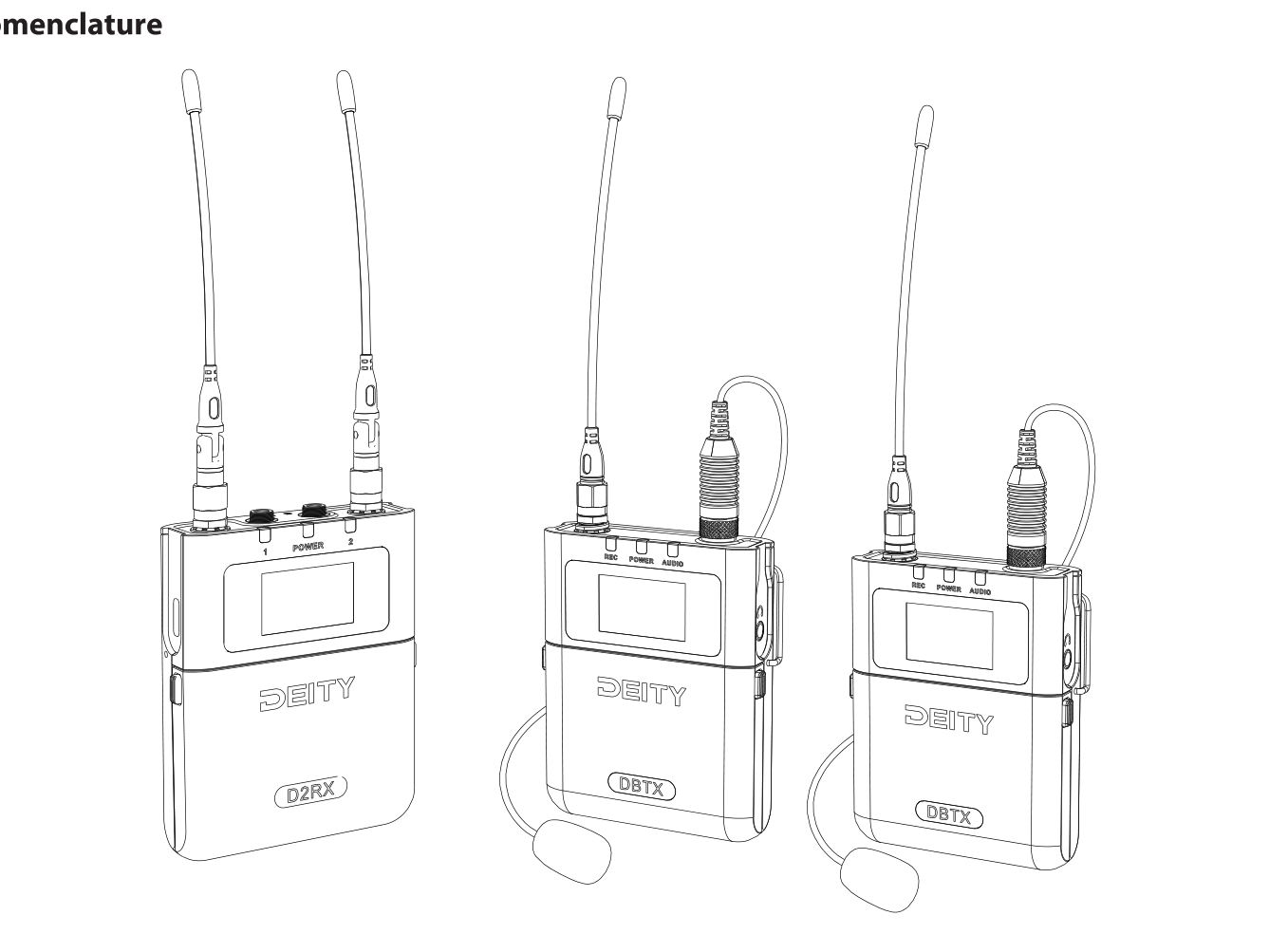
The THEOS 2-Channel Kit pairs two DBTX bodypack transmitters with one D2RX dual-channel receiver. For a full breakdown of every button, port, and indicator, see the setup guides:
- [THEOS] Transmitter (DBTX) - Buttons, Antennas, Battery & Setup
- [THEOS] Receiver (D2RX) - Buttons, Antennas & Connecting to Recorders
Device Activation (Global Version)
Note: This activation procedure applies to the THEOS global version only.
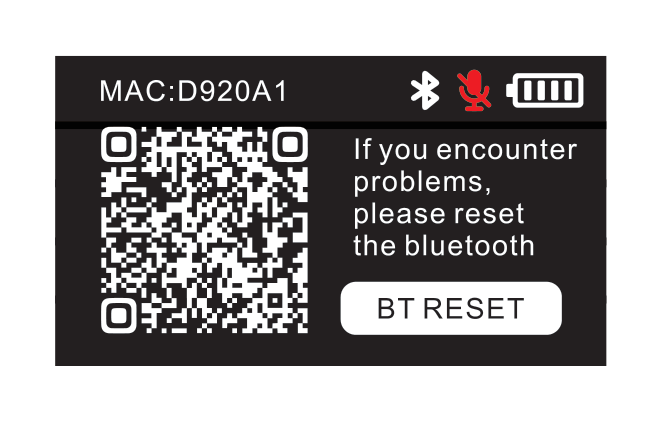
When you power on the DBTX and D2RX for the first time, the devices must connect to the Sidus Audio mobile app to complete activation. The device screen shows a QR code to download Sidus Audio. Activation uses your phone’s location to allocate the correct legal frequency band for your region, so location permission is required, without it, Sidus Audio cannot assign a valid band and THEOS will not operate normally.
- Install Sidus Audio on your phone and enable Bluetooth and Location.
- Power on your DBTX and D2RX. If a device cannot be found, select BT RESET on the device screen and confirm OK to reset its Bluetooth.
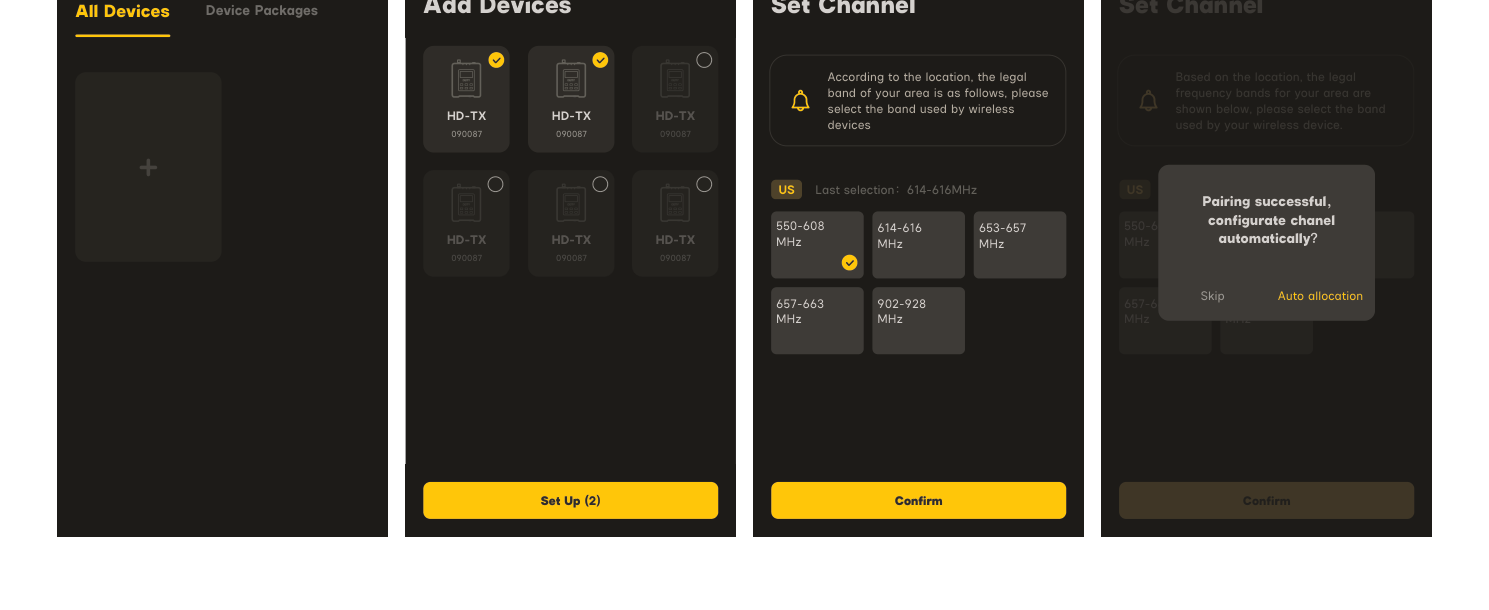
- In Sidus Audio, tap the Add (+) button, select your THEOS devices, and tap Set Up to form a device network.
- Sidus Audio identifies the devices and prompts you to activate. Choose your frequency band, then select Auto allocation to let the app assign the cleanest channels (or Skip to set them manually).
- When you see Pairing successful, your THEOS kit is activated and ready to use.
For more on the app, see [Sidus Audio] Introduction. To learn how the frequency bands work, see [THEOS] Frequency Settings & Legal Bands.
Next Steps
- [THEOS] How to Scan & Pair - get your transmitters and receiver on the cleanest channels.
- [THEOS] Gain Staging - set clean levels before you roll.
- [THEOS] How to Set Up Timecode - keep audio in sync with your cameras.
Related articles
- [THEOS] Transmitter (DBTX) - Buttons, Antennas, Battery & Setup
- [THEOS] Receiver (D2RX) - Buttons, Antennas & Connecting to Recorders
- [THEOS] Frequency Settings & Legal Bands
- [THEOS] How to Scan & Pair
- [How To] Why Professionals Use UHF and Not 2.4GHz
- [THEOS] How to Update Firmware
- [THEOS] Specifications