
The Deity DXTX is a digital wireless plug-on transmitter for the THEOS system. It clips onto the XLR output of any shotgun, handheld, or boom microphone and turns it into a wireless source, while also recording a backup track internally to a microSD card and generating or reading timecode. This guide covers what comes in the box and the main parts of the DXTX so you can get set up quickly.
What's in the Box
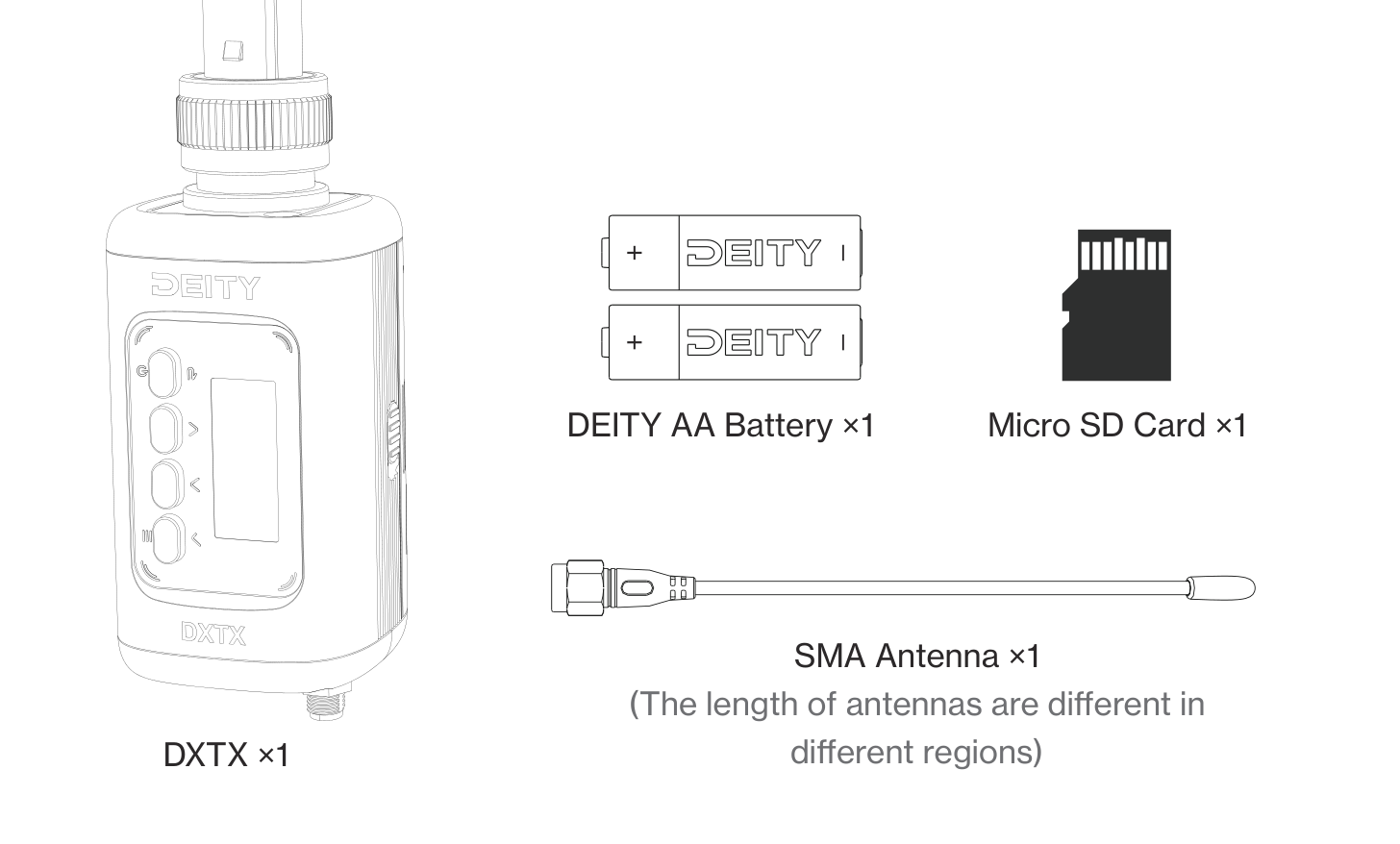
- DXTX plug-on transmitter (1 pc)
- DEITY AA Battery (2 pcs)
- Micro SD Card (1 pc)
- SMA Antenna (1 pc). The antenna length differs by region, because each region uses a different legal frequency band.
Get to Know Your DXTX
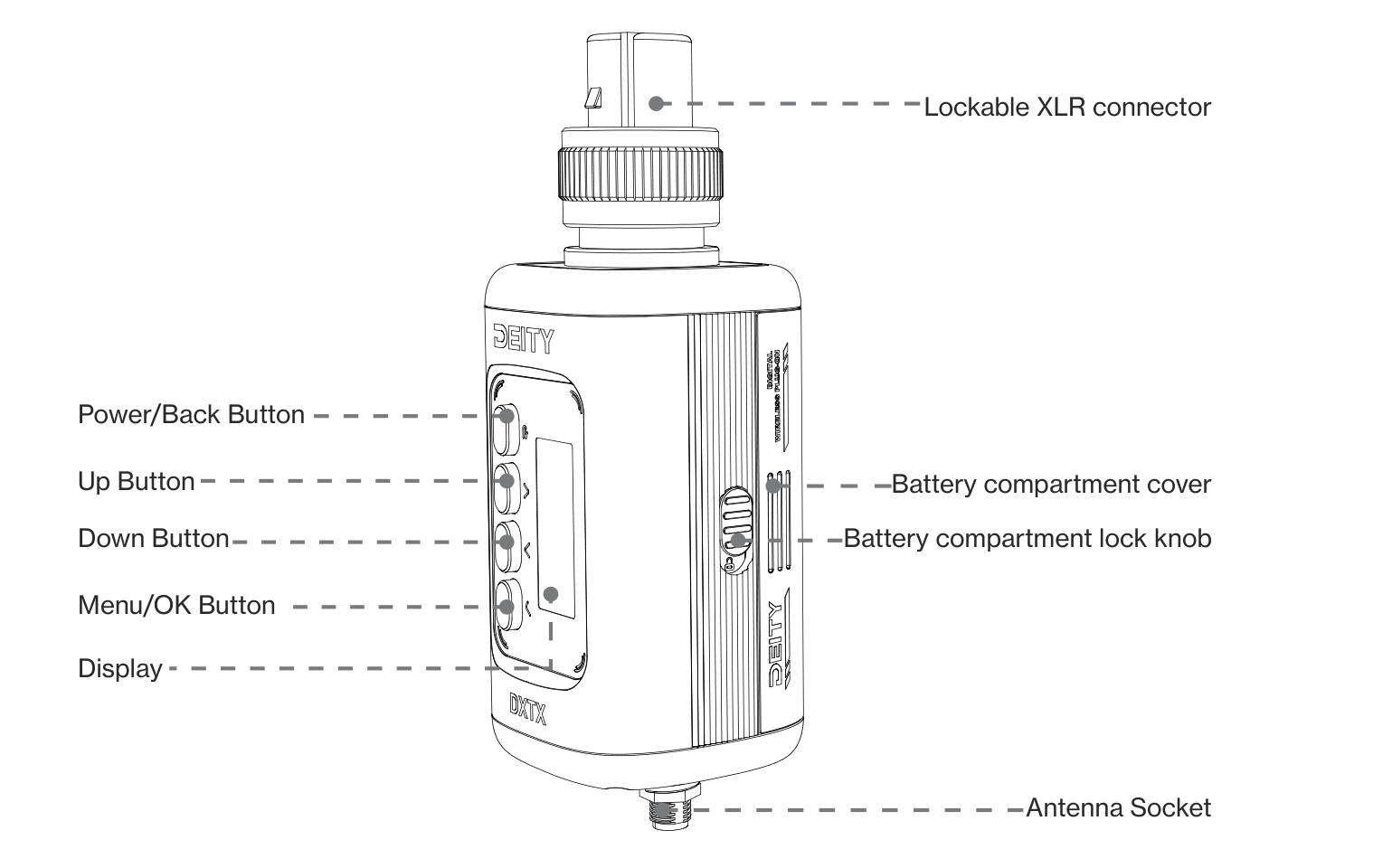
- Lockable XLR connector (top): accepts your microphone and locks it in place.
- Power / Back Button, Up Button, Down Button, and Menu / OK Button: the four-button control cluster next to the display.
- Display: shows the main screen, recording, timecode, and menu interfaces.
- Battery compartment cover and Battery compartment lock knob (side): hold the two AA batteries and the microSD card.
- Antenna Socket (bottom): a 50 Ω SMA socket for the whip antenna.
For a full breakdown of every button, port, and indicator, plus how to fit the antenna, microphone, battery, and card, see [DXTX] Hardware & Setup.
Getting Started in Five Steps
- Screw the SMA antenna onto the socket at the bottom of the DXTX.
- Open the side battery compartment, insert the microSD card, then load the two AA batteries the right way round.
- Lock your microphone into the XLR connector on top.
- Long press the Power button to switch the DXTX on.
- Open the FREQ menu and select PAIR, then put your THEOS receiver into pairing mode so the two link up. See [DXTX] How to Scan & Pair.
Once paired, set your TX MODE (mic power), dial in your gain, and you are ready to roll. Because the DXTX is a UHF device, it delivers a rock-solid, low-latency link with no reliance on crowded 2.4GHz Wi-Fi. Learn why in [How To] Why Professionals Use UHF and Not 2.4GHz.
Next Steps
- [DXTX] Screen Interface Guide - understand the main, recording, and timecode screens.
- [DXTX] Menu Reference - every setting explained.
- [DXTX] How to Set Up Timecode - keep audio in sync with your cameras.