
The Deity THEOS DLTX is a digital wireless bodypack transmitter built for film and television production. It records 24-bit and 32-bit float audio internally to a microSD card, generates and reads SMPTE timecode, and pairs with a Deity THEOS receiver such as the D2RX over a rock-solid UHF link. This guide covers what comes in the box and the parts of the transmitter, so you can get set up quickly.
What's in the Box
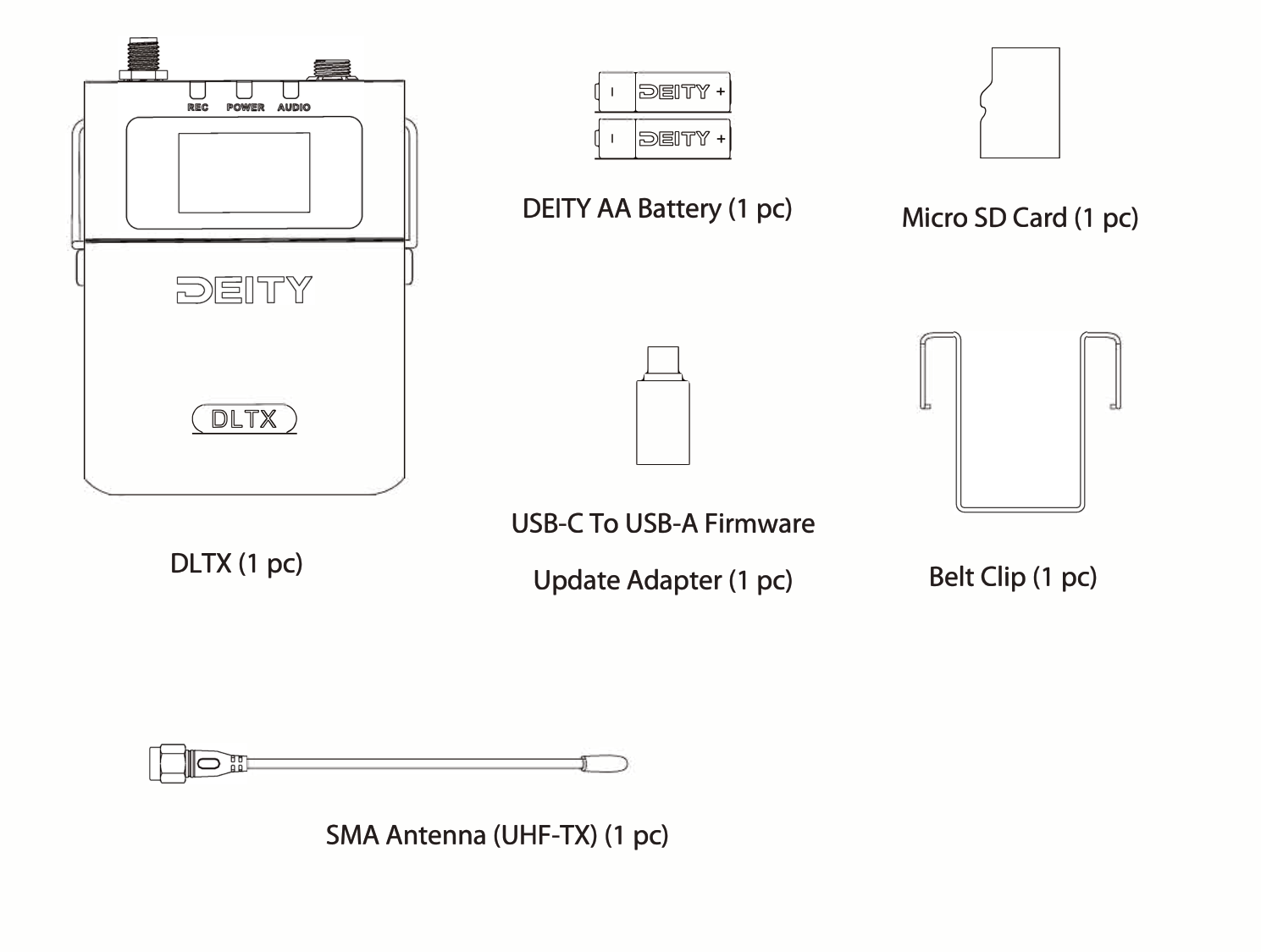
Your DLTX package includes:
- DLTX bodypack transmitter (1 pc)
- DEITY AA Battery (1 pc)
- Micro SD Card (1 pc)
- USB-C to USB-A Firmware Update Adapter (1 pc)
- Belt Clip (1 pc)
- SMA Antenna (UHF-TX) (1 pc)
Note: The included DEITY AA battery is a disposable lithium iron non-rechargeable cell. Do not attempt to charge it.
Get to Know Your DLTX
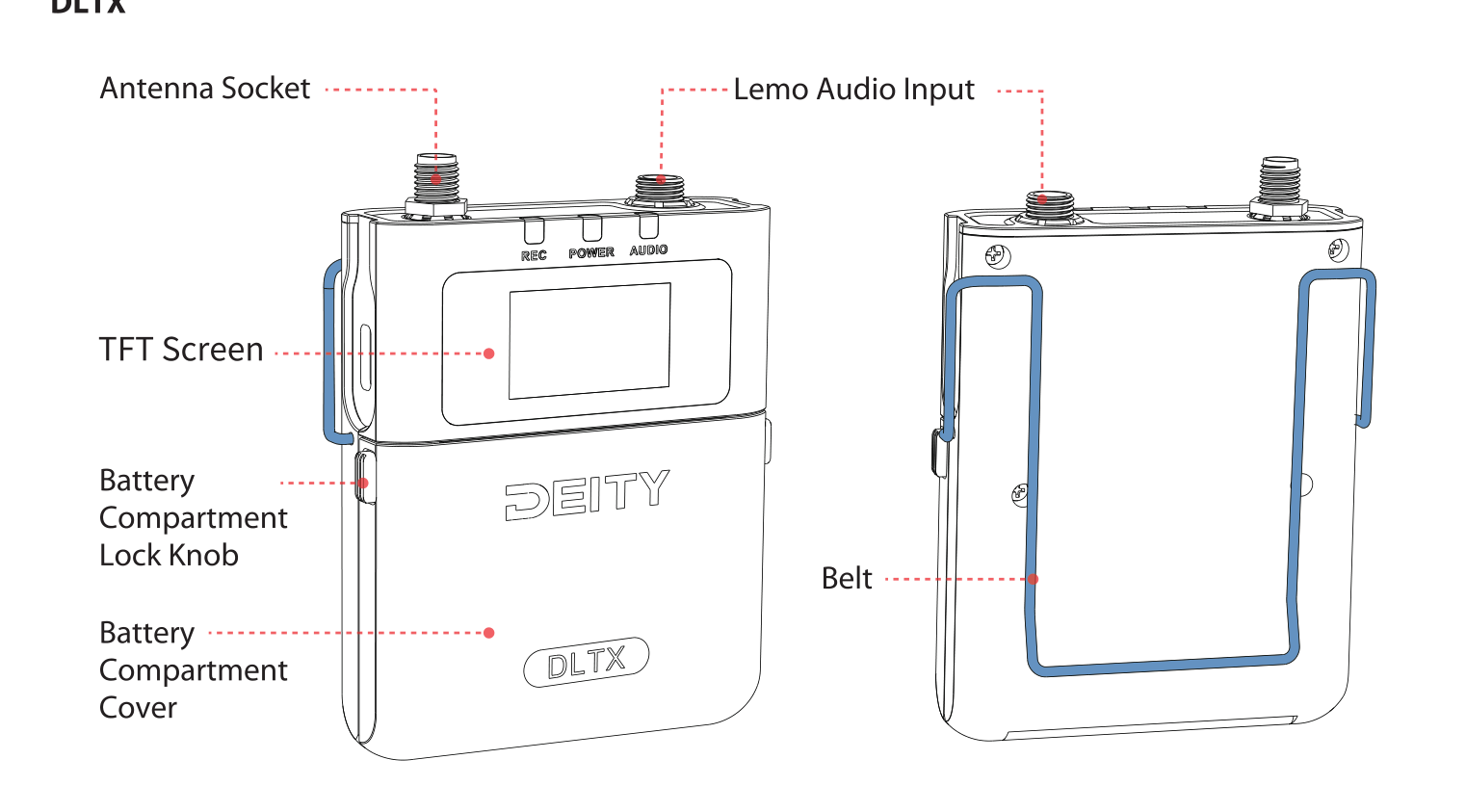
The key parts of the DLTX are:
- Antenna Socket: a 50 Ohm SMA connector on the top for the included whip antenna.
- Lemo Audio Input: a locking 3-pin Lemo connector for your lavalier microphone or line input.
- TFT Screen: a color display showing frequency, timecode, level, gain, and status.
- Battery Compartment Lock Knob and Battery Compartment Cover: press the locks on both sides to open the compartment for the AA battery and microSD card.
- Belt: the removable clip that mounts to both sides of the body.
For a full breakdown of the buttons, ports, indicators, and how to install the antenna, mic, battery, and belt, see the setup guide:
Pairing With Your Receiver
The DLTX is part of the Deity THEOS digital wireless system. To get audio to your camera or recorder, pair the DLTX with a THEOS receiver such as the D2RX. On the DLTX, open the FREQ menu and select PAIR. When the DLTX enters PAIR, put the D2RX into PAIR as well and the two devices will link. To find the cleanest channels first, run a scan on the receiver.
If you have a THEOS global version kit, first-time activation is done through the Sidus Audio app, which assigns a legal frequency band for your region. See the THEOS getting started guide for the full activation walkthrough.
Next Steps
- [THEOS] How to Scan & Pair - get your transmitter and receiver on the cleanest channels.
- [DLTX] Menu & Interface Reference - set gain, mic power, low cut, recording, and more.
- [DLTX] How to Set Up Timecode - keep audio in sync with your cameras.
- [DLTX] Using 32-Bit Float - record with a safety net against clipping.