
The SRD mini has two switches and a set of status LEDs on its top panel. This guide explains what each switch does and how to read the light display. For where these sit on the body, see [SRD-Mini] Getting Started.
Switches
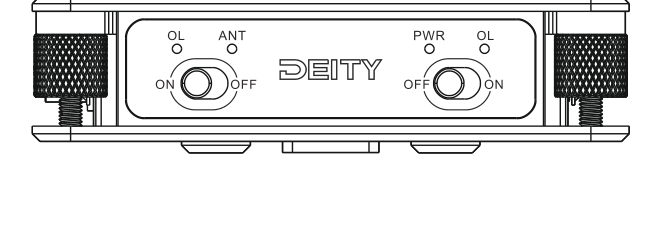
Power Switch
Turn the Power Switch to ON to power on the SRD mini and use the RF splitting function normally. Turn it to OFF when you are done.
Active Antenna Power Switch
If you are connected to an active antenna, turn on the Active Antenna Power Switch to supply power to that antenna. If you are using a passive antenna, you do not need to turn on this switch and the unit will still function normally.
Light Display
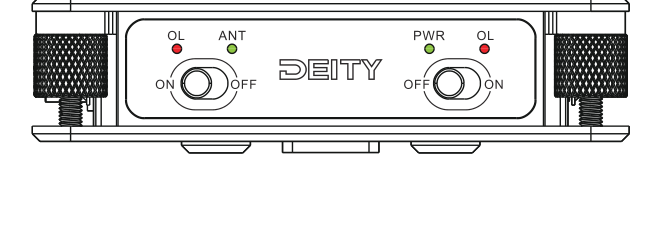
| Light | What it means |
|---|---|
| PWR | On: the device is powered on and ready to use. |
| ANT | On: active antenna power is enabled and the unit is supplying power to the active antenna. |
| OL (red) | On: the RF signal on that port has overloaded. Check the input signal strength on that channel. |
There is an OL overload indicator for each input, so if one lights up you can tell which channel needs attention. If you see an OL light, reduce the incoming signal, for example by lowering antenna gain or moving the antenna, until it clears. To learn how signal levels behave across a UHF system, see [THEOS] Gain Staging.