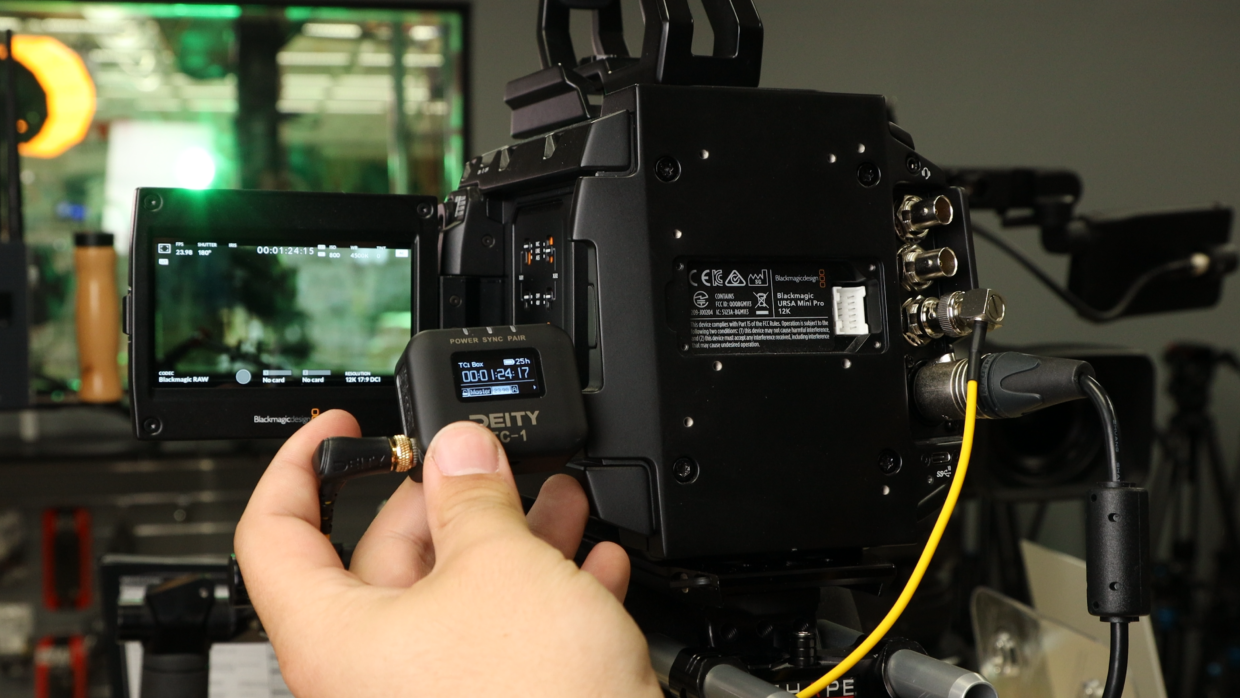
Feeding external timecode into a Blackmagic URSA Mini Pro 12K keeps every camera and audio recorder locked to the same clock, so your footage lines up on the timeline without manual syncing. This guide walks through jamming the URSA 12K to an external timecode source and setting the camera to read it.
Step-By-Step User Guide
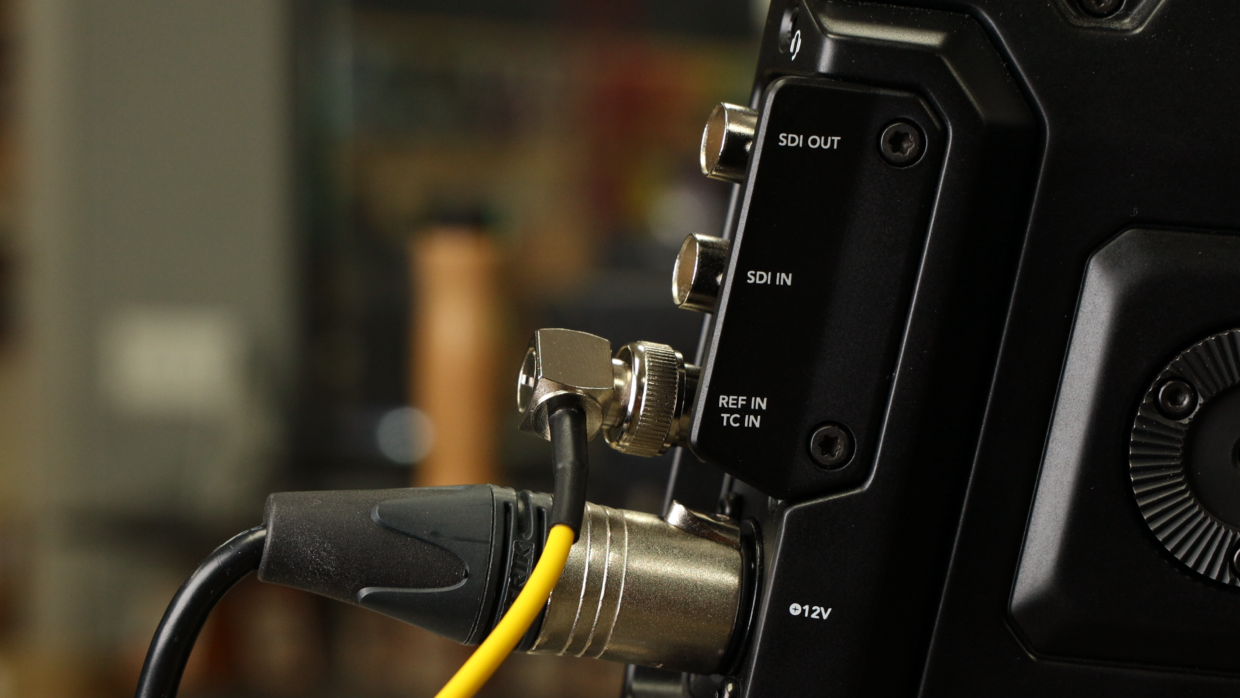
Step #1
First things first, grab a BNC to 3.5 TRS cable. Next, locate the TC input on the rear of the camera and plug it in.
Step #2
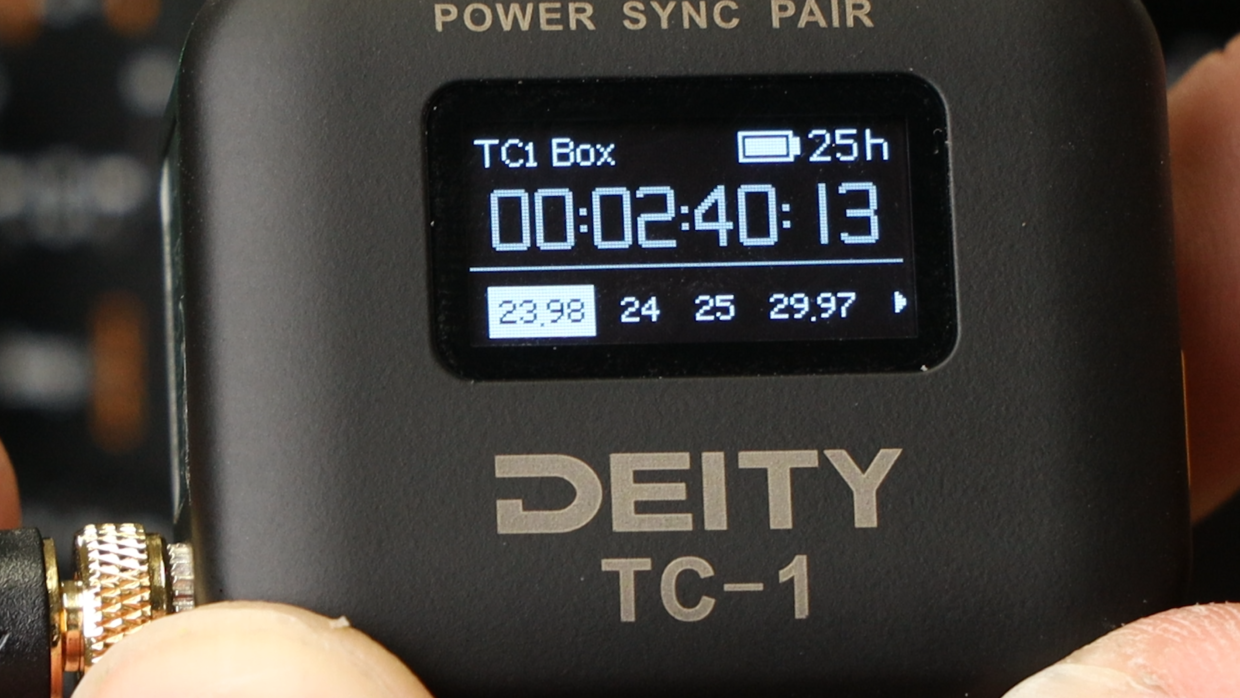
Really quickly, confirm your frame rate, in this case I’m using “23.98.“
On your TC-1, scroll over to the frame rate section and match it to the camera.
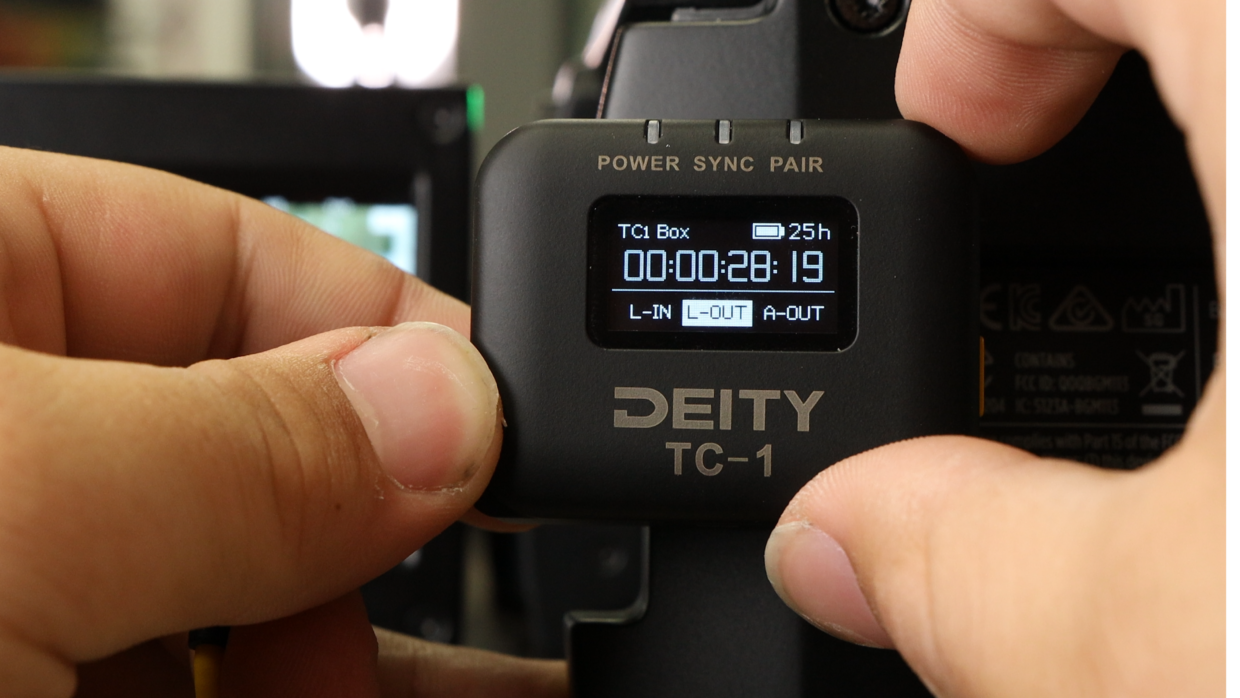
Step #3
Next, scroll over to the out type section and select “L-Out.”
You’re Connected!
Your Blackmagic URSA 12K will automatically recognize this signal and is ready to be synced with the rest of your set!
If you need help syncing your Deity TC-1 to your other Deity TC-1 timecode generators, here is a User Guide!