
The Deity Timecode Box TC-1 is a compact wireless timecode generator that keeps your cameras, audio recorders, and smart slates locked to a single, frame-accurate clock. This guide covers what comes in the box, the parts of the TC-1, how to charge it, and how to connect it to your recording devices.
What's in the Box
The single Timecode Box TC-1 package includes:
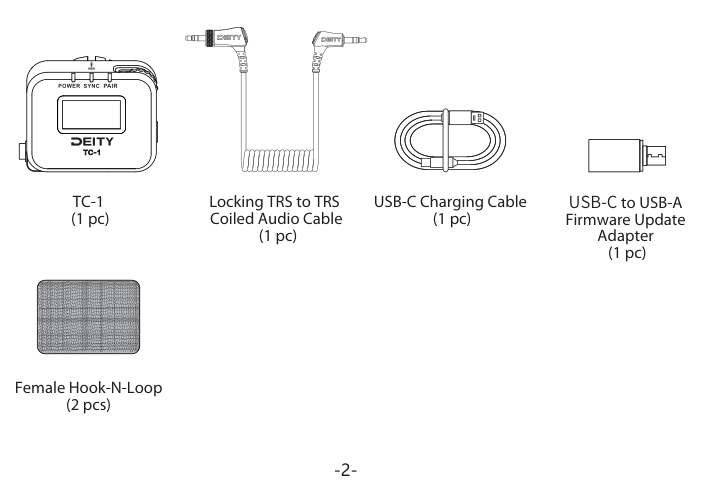
- TC-1 timecode box (1 pc)
- Locking TRS to TRS Coiled Audio Cable (1 pc)
- USB-C Charging Cable (1 pc)
- USB-C to USB-A Firmware Update Adapter (1 pc)
- Female Hook-N-Loop (2 pcs)
Timecode Box TC-1 Kit
The TC-1 Kit bundles three units with a fuller set of timecode cables:
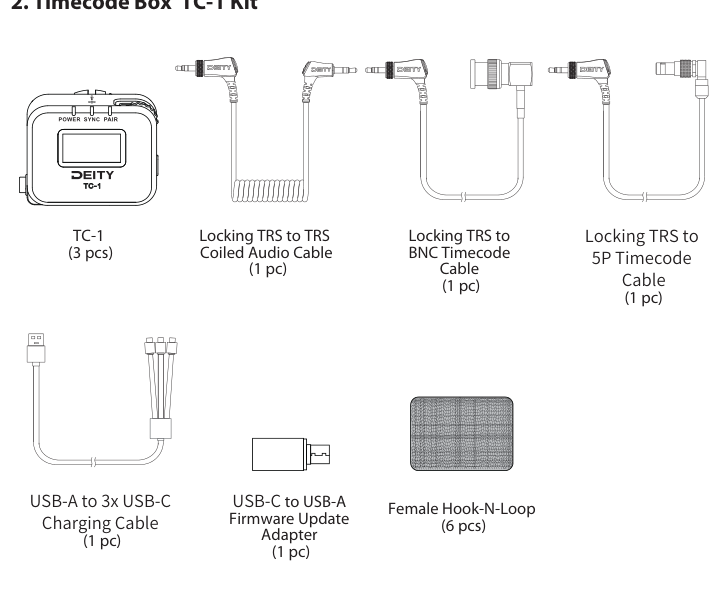
- TC-1 timecode box (3 pcs)
- Locking TRS to TRS Coiled Audio Cable (1 pc)
- Locking TRS to BNC Timecode Cable (1 pc)
- Locking TRS to 5P Timecode Cable (1 pc)
- USB-A to 3x USB-C Charging Cable (1 pc)
- USB-C to USB-A Firmware Update Adapter (1 pc)
- Female Hook-N-Loop (6 pcs)
Get to Know Your TC-1
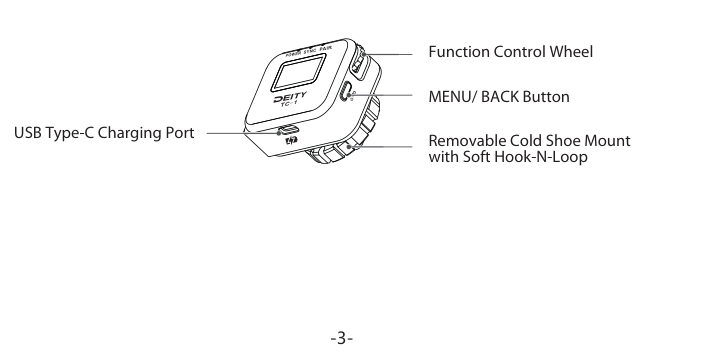
- Function Control Wheel: rotate to move through options, short-press to confirm a selection.
- MENU/BACK Button: powers the unit on and off and steps back through menus.
- USB Type-C Charging Port: charges the internal battery and connects a firmware update drive.
- Removable Cold Shoe Mount with soft hook-and-loop backing.
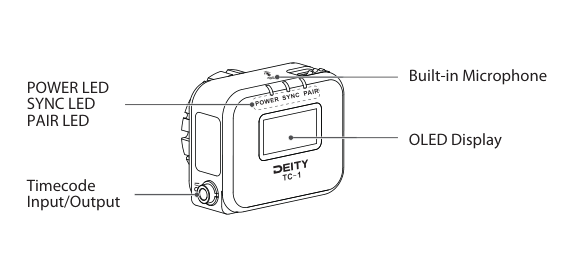
- POWER LED, SYNC LED, PAIR LED: status indicators for power, timecode sync, and pairing.
- Built-in Microphone: captures reference sound on top of the unit.
- OLED Display: shows the running timecode and current settings.
- Timecode Input/Output: the 3.5mm jack for feeding timecode to or from other devices.
Charging
The TC-1 has a built-in, rechargeable Lithium-Polymer battery. Charge it with the included Type-C cable connected to a DC adapter (not included). A full charge takes about 3 hours for up to 24 hours of operation. The battery is replaceable if performance has declined after years of use.
- The POWER LED glows green when the battery is in the clear. It turns red when there is about 30 minutes of operation left.
- While charging, the power LED flashes between red and green.
- When fully charged, the power LED stays green.
Note: Charging at temperatures below 10 degrees Celsius will cause damage to the battery.
Built-in Microphone
The TC-1 has a small built-in microphone on top of the device. It records reference sound on DSLR cameras or other devices with a stereo 3.5mm mic input. The built-in microphone works only when the unit is set to MIC level with plug-in power switched on at the camera side. Using the included 3.5mm TRS cable, the timecode signal is recorded on the left channel and reference sound on the right channel.
Connecting to Recording Devices
The TC-1 can be used with nearly any recording device: cameras, audio recorders, smart slates, and more. Before connecting your synced TC-1 to each device, use the correct adapter (included in the box) and set the correct output volume. Depending on the input of your recording device, you can set it to LINE or MIC level. We also recommend a test shoot to check timecode compatibility and ensure a smooth shoot.
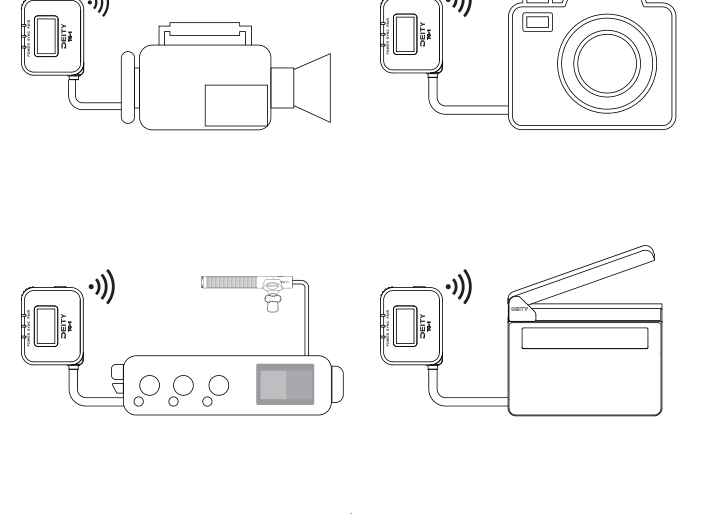
To choose the right output for each device, see the Out Type settings in [TC-1] Modes, Menu Reference & Timecode Sync.
Next Steps
- [TC-1] Controls, LEDs & OLED Display - learn the wheel, button, indicators, and screen.
- [TC-1] Modes, Menu Reference & Timecode Sync - pick a mode and jam-sync your units.
- [TC-1] Specifications - full technical details.