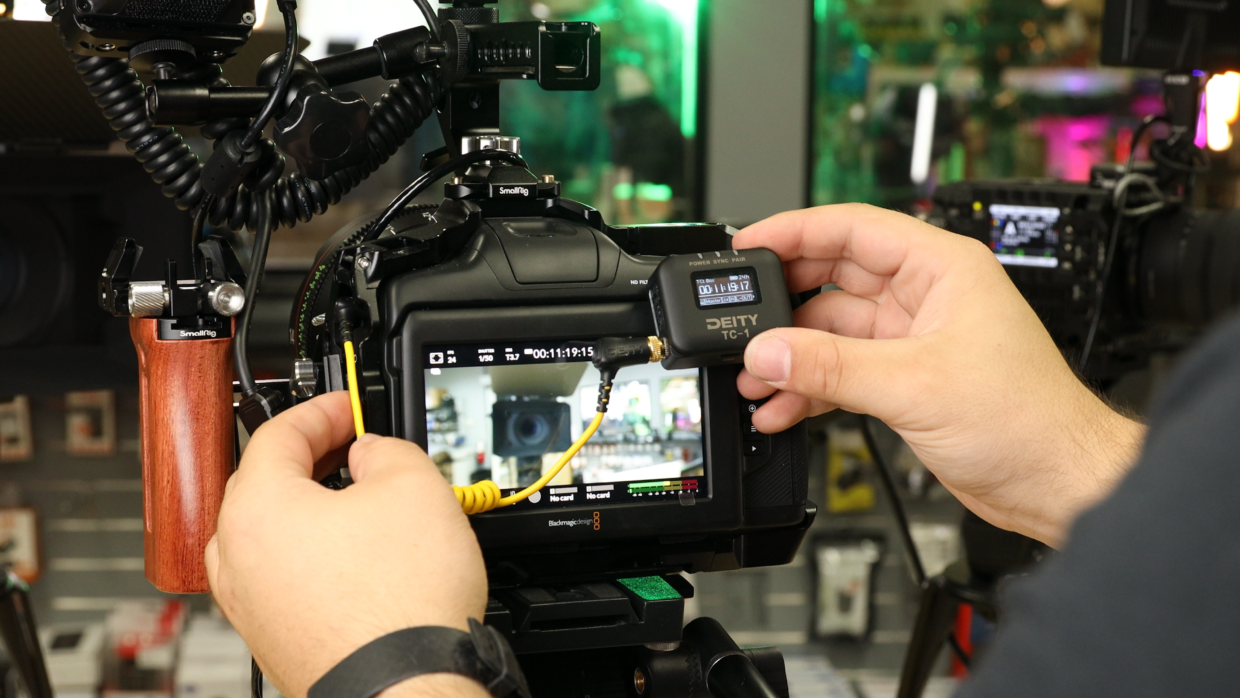
Timecode is the shared clock that lets your cameras and audio recorders line up perfectly in post. This guide walks through the basics of feeding timecode into a camera, confirming your frame rate, and jamming your devices so every take starts from the same reference.
Step-By-Step User Guide
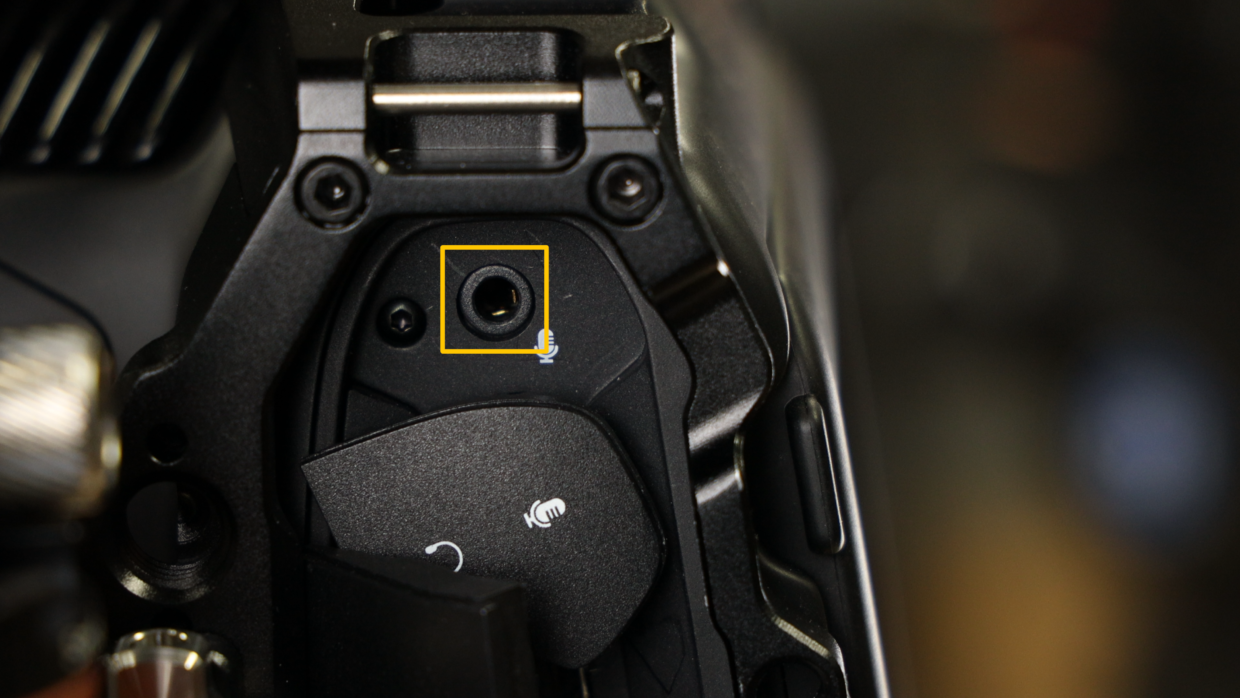
Step #1
First things first, grab a 3.5 to 3.5 TRS cable. Next, locate the mic input on the left side of the Blackmagic Pocket 6K and plug it in.
Step #2
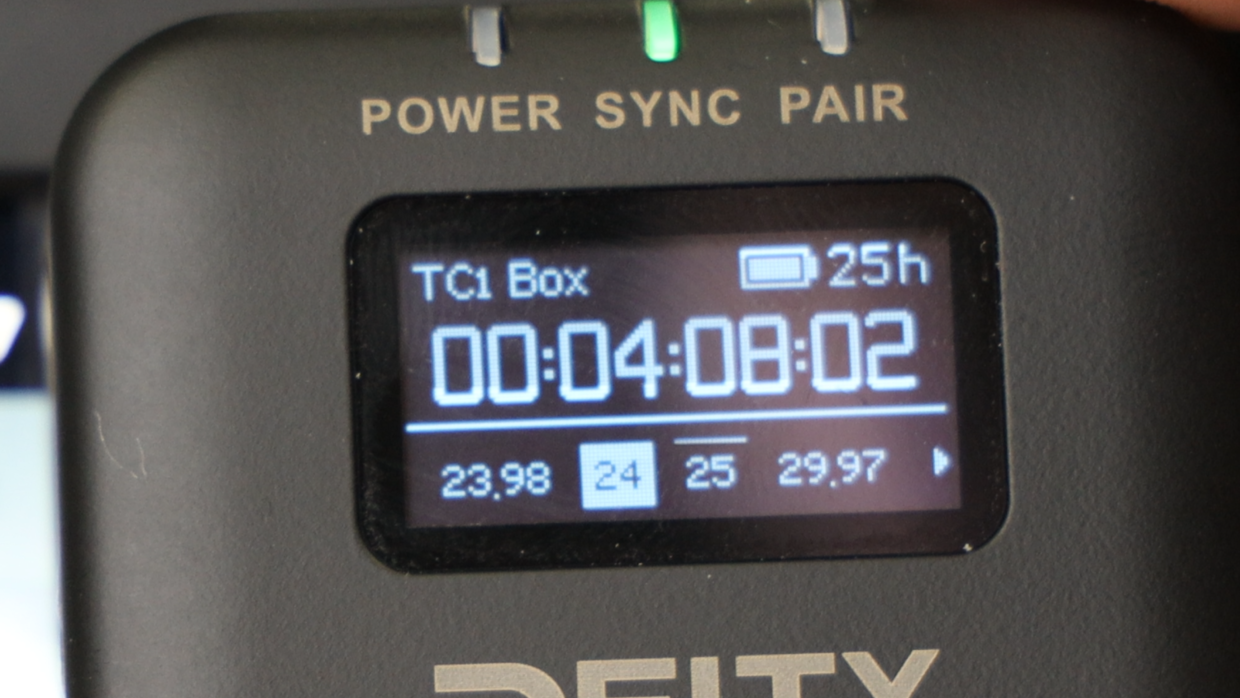
Really quickly, confirm your frame rate, in this case I’m using “24.“
On your TC-1, scroll over to the frame rate section and match it to the camera.
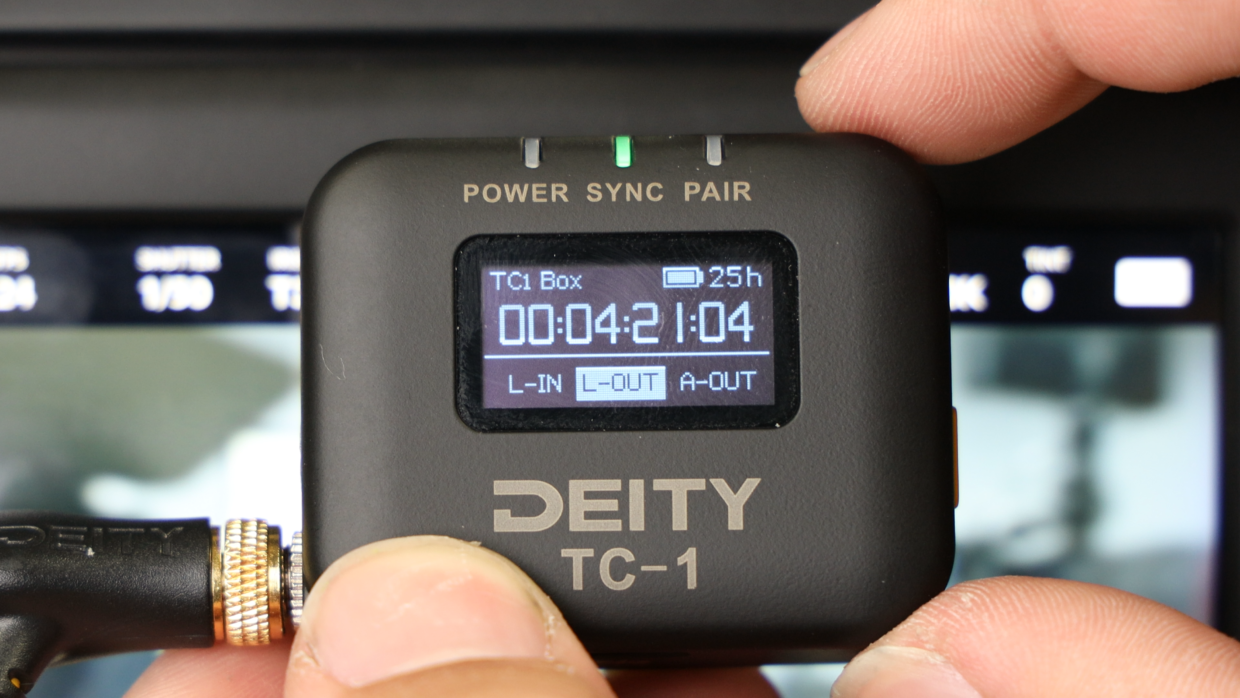
Step #3
Next, scroll over to the out type section and select “L-Out.”
You’re Connected!
Your Blackmagic Pocket Cinema Camera will automatically recognize this signal and is ready to be synced with the rest of your set!
If you need help syncing your Deity TC-1 to your other Deity TC-1 timecode generators, here is a User Guide!