
The DEITY DQC2 is a smart battery charger built for charging DEITY S-95 smart batteries. Its dual-slot design charges two smart batteries at the same time, and its splicing design lets you connect multiple chargers together for larger multi-battery setups. This guide covers what the DQC2 is, the parts of the charger, and where to go next to start charging.
About the DQC2
The DQC2 is a dual-slot smart battery charger. Insert two smart batteries and it charges both at once, automatically recognizing each battery and displaying its charge level as it fills. Because the chargers can be spliced together through a chute on the side, you can build a queued charging chain for two, three, or more batteries at a time. The DQC2 is designed for the DEITY S-95 (98Wh) smart battery, and it works with commercially available smart batteries as well.
Get to Know Your DQC2
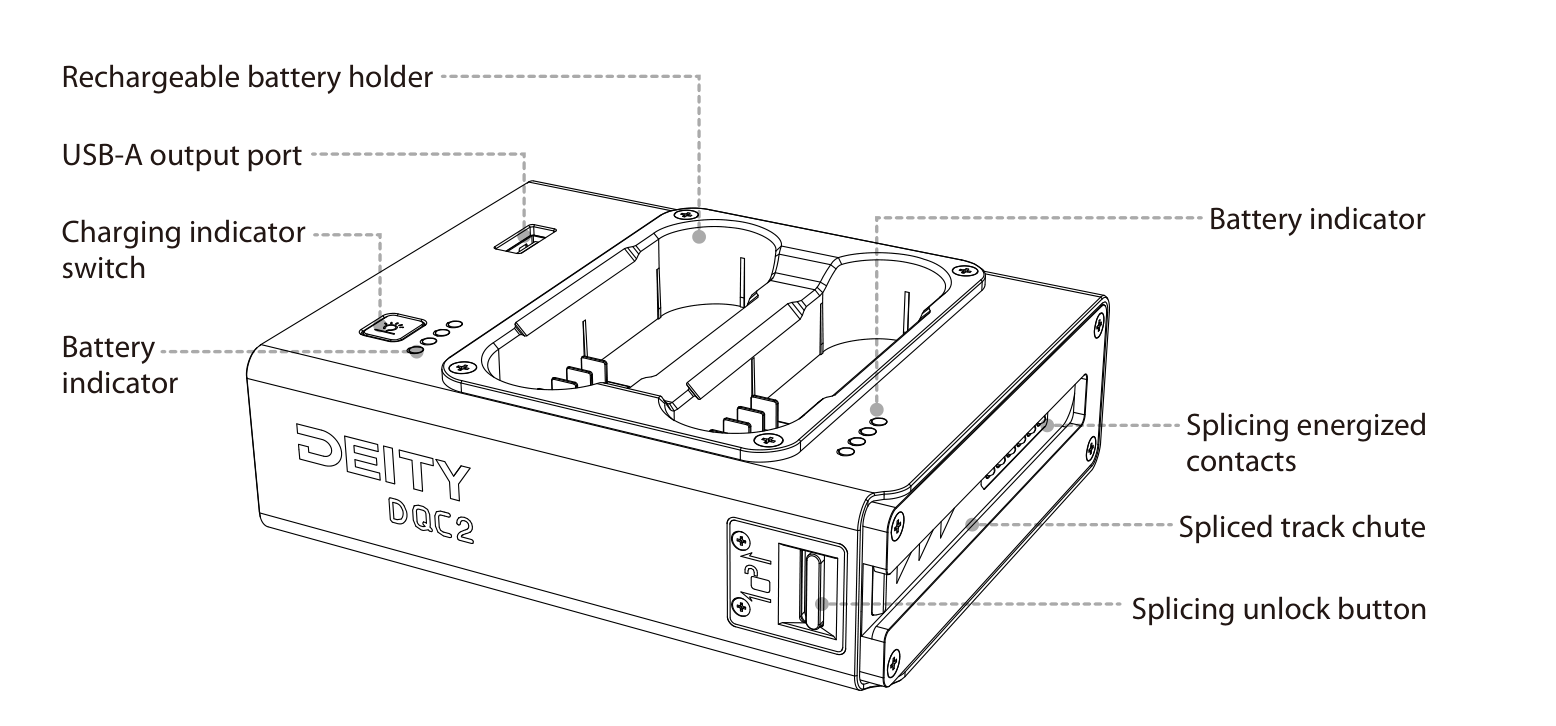
The two views below show every port, contact, and control on the charger. The top of the charger holds the two rechargeable battery holders, the USB-A output port, the charging indicator switch, and the battery indicators for each slot.
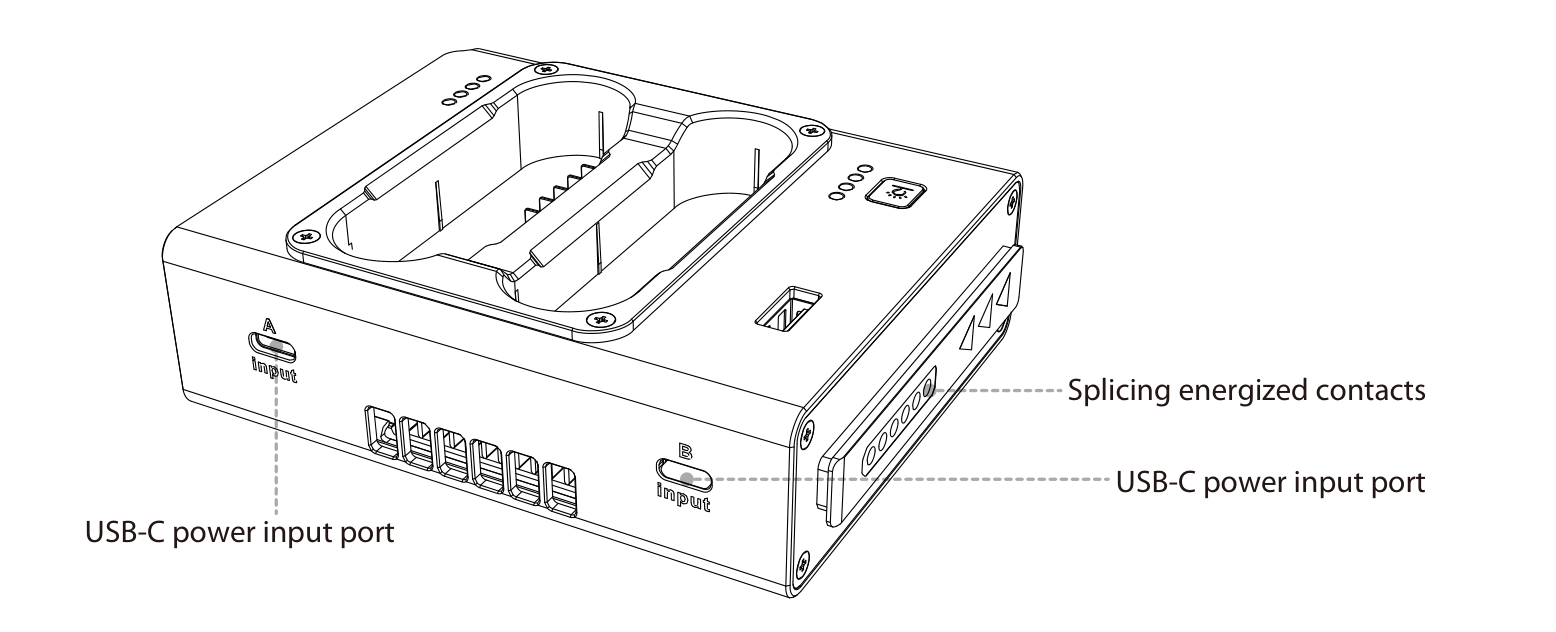
The sides and rear carry the two USB-C power input ports (labeled A Input and B Input), the splicing energized contacts, the spliced track chute, and the splicing unlock button used when connecting or separating chargers.
Key parts at a glance
- Rechargeable battery holder (x2): the two slots that hold and charge your smart batteries.
- Battery indicator: four white LEDs per slot that show charge progress and status.
- Charging indicator switch: the button that toggles the battery indicators and controls forced charging and half-charge mode.
- USB-A output port: a 5V, 2A output for powering or charging other devices.
- USB-C power input ports (A Input and B Input): two inputs on the rear, supporting up to 100W combined and acting as backups for each other.
- Splicing energized contacts and spliced track chute: the contacts and rail that connect multiple DQC2 chargers into a splicing chain.
- Splicing unlock button: releases the lock so you can slide spliced chargers apart.
Next Steps
- [DQC2] Charging & Operation - connect power, charge batteries, and splice chargers together.
- [DQC2] Display & Indicators - read the LED colors and flashing patterns.
- [DQC2] Specifications - full parameters and protection features.