
The Deity V-Mic D4 is a universal on-camera shotgun microphone with a supercardioid pickup pattern, a step-less gain knob, and a built-in suspension shockmount. It runs on a single AAA battery and works out of the box with cameras, recorders, smartphones, laptops, and tablets that supply plug-in power. This guide covers what comes in the box, the parts of the microphone, and how to install the battery, mount it, power it, and adjust the gain.
What's in the Box
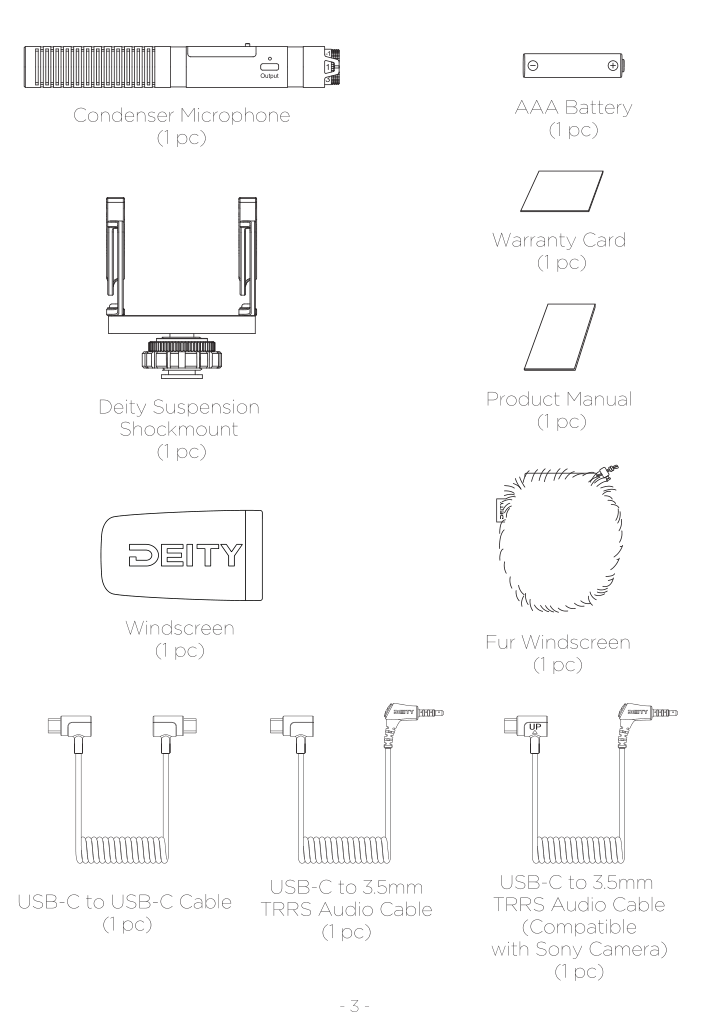
Your V-Mic D4 package includes:
- Condenser Microphone (1 pc)
- AAA Battery (1 pc)
- Deity Suspension Shockmount (1 pc)
- Warranty Card (1 pc)
- Product Manual (1 pc)
- Windscreen (1 pc)
- Fur Windscreen (1 pc)
- USB-C to USB-C Cable (1 pc)
- USB-C to 3.5mm TRRS Audio Cable (1 pc)
- USB-C to 3.5mm TRRS Audio Cable, compatible with Sony cameras (1 pc)
Get to Know Your V-Mic D4
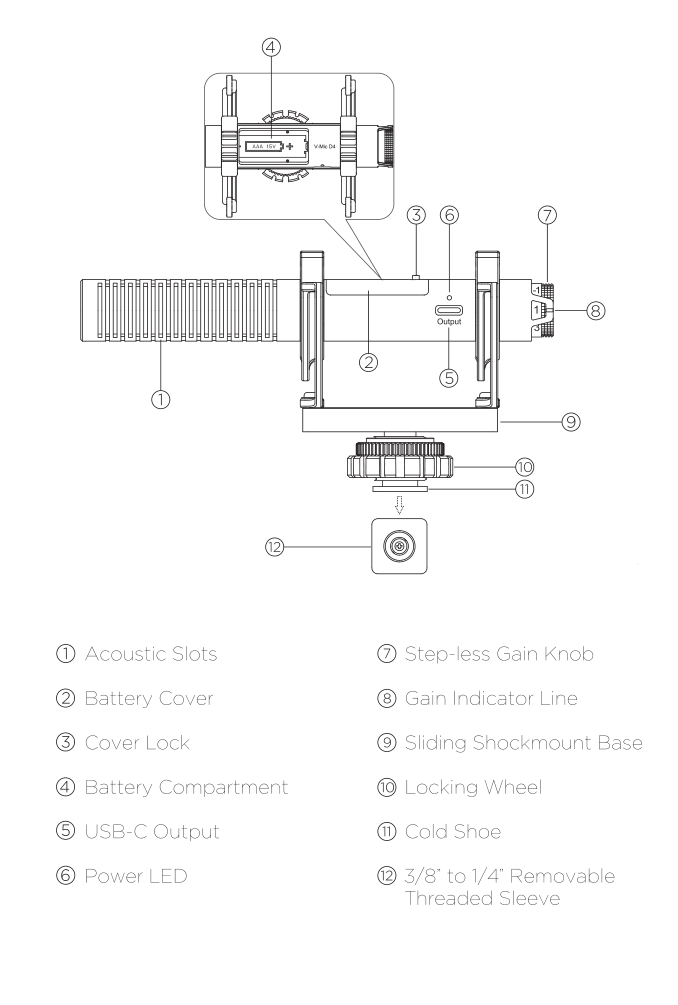
- Acoustic Slots
- Battery Cover
- Cover Lock
- Battery Compartment (single AAA, 1.5 V)
- USB-C Output
- Power LED
- Step-less Gain Knob
- Gain Indicator Line
- Sliding Shockmount Base
- Locking Wheel
- Cold Shoe
- 3/8 inch to 1/4 inch Removable Threaded Sleeve
Battery Installation
The V-Mic D4 is powered by a single AAA battery. Release the cover lock to open the battery compartment, install the AAA battery, and then put the cover back on.
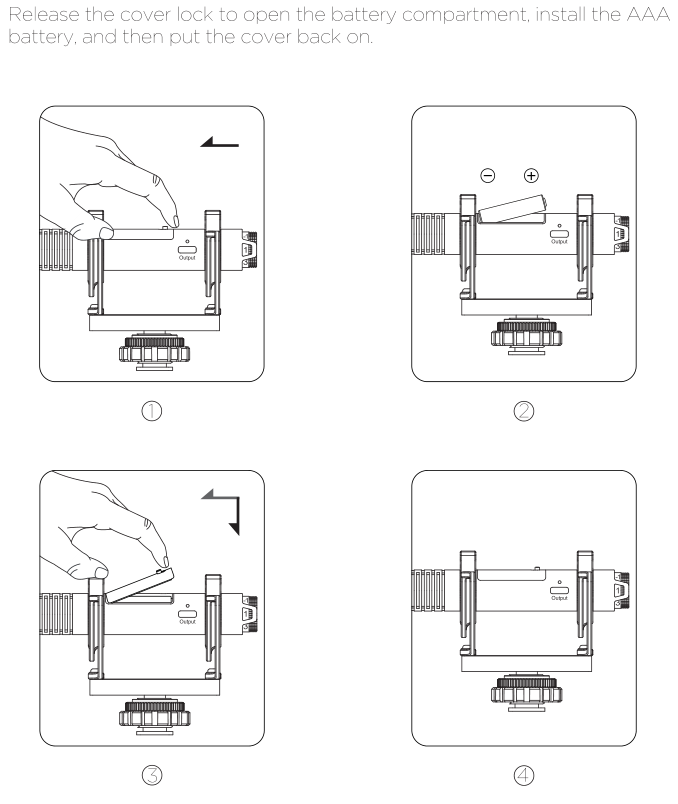
- Slide the cover lock and lift off the battery cover.
- Insert the AAA battery, matching the plus and minus terminals shown inside the compartment.
- Set the cover back into place.
- Close and lock the cover so it is secure.
Note: To remove the battery, open the battery compartment and pull the battery ribbon to lift it out.
Mounting to Your Camera
The V-Mic D4 mounts to your camera through the included suspension shockmount and cold shoe.
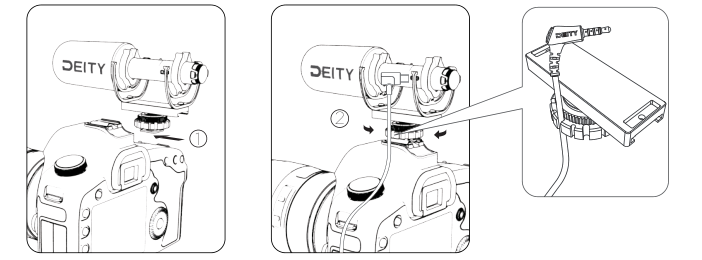
- Mount the microphone to your camera's cold shoe.
- Rotate the bottom wheel clockwise to secure it to the camera.
- Connect the appropriate audio cable between the microphone's USB-C output and your camera's input.
Note: When installing the microphone, make sure the acoustic slots are not blocked by the shockmount.
Powering On and Off
The V-Mic D4 automatically powers on when it is plugged into a device that supplies plug-in power. There is no separate power switch.
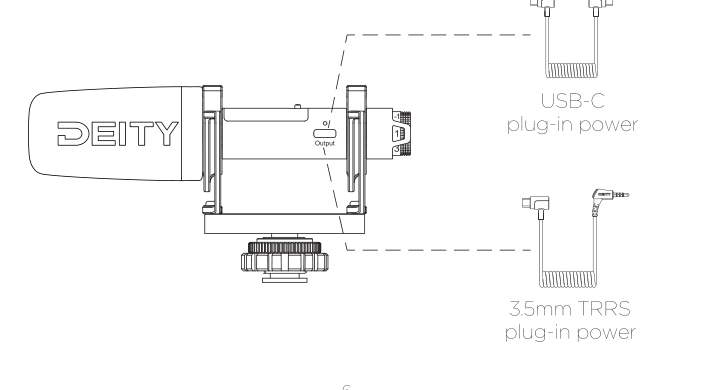
- It powers on when plugged into a camera's 3.5mm microphone input that provides plug-in power.
- It can also be awakened by devices connected over USB-C, such as laptops, smartphones, and tablets.
- When active, the power LED illuminates.
- When the LED turns red, the battery is low. Replace the AAA battery.
Use the USB-C to 3.5mm TRRS cable for cameras and recorders, the USB-C to USB-C cable for computers and mobile devices, or the dedicated Sony-compatible USB-C to 3.5mm cable for Sony cameras.
Gain Adjustment
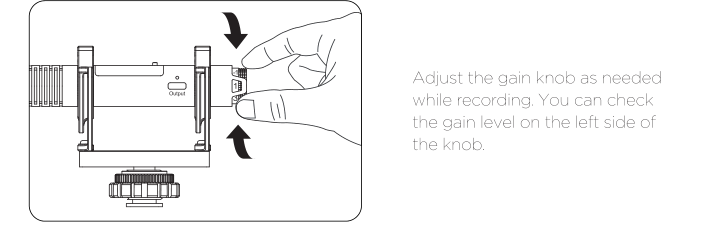
The V-Mic D4 has a step-less gain knob that adds -5 dB to +10 dB of gain as needed. Adjust the gain knob while recording and check the gain level against the gain indicator line on the left side of the knob.
Tips and Compatibility
- Deity has found that some recording devices are incompatible with the V-Mic D4 because of differing interface standards. An updated list is maintained on the Deity website, deitymic.com.
- Keep the acoustic slots clear of the shockmount when mounting the microphone.
- The illustrations in this guide are diagrams for reference. Because the product is continuously developed, refer to the actual product if there is any difference.