
This is the full reference for the PR-2 settings menu. Short press the multifunctional wheel button to enter the menu, rotate the wheel to move between items, and short press to confirm. Below, each menu item is explained in the order it appears on the device.
Gain
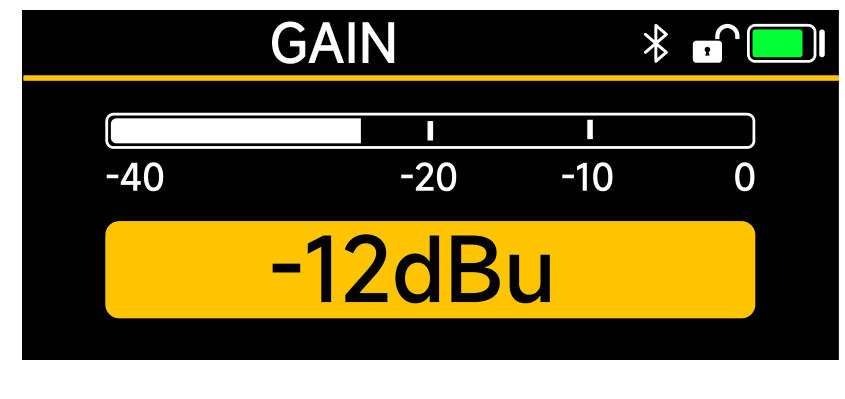
The Gain menu adjusts the microphone input gain in 12 steps, covering a range from -12dBu to +36dBu. Choose the step that suits your source and environment so the level sits comfortably on the meter without clipping.
Auto Gain
With Auto Gain set to ON, the PR-2 sets the gain automatically based on the current environment, giving you a quick, usable level for the scene without manual tweaking. Set it to OFF to control gain yourself.
Timecode
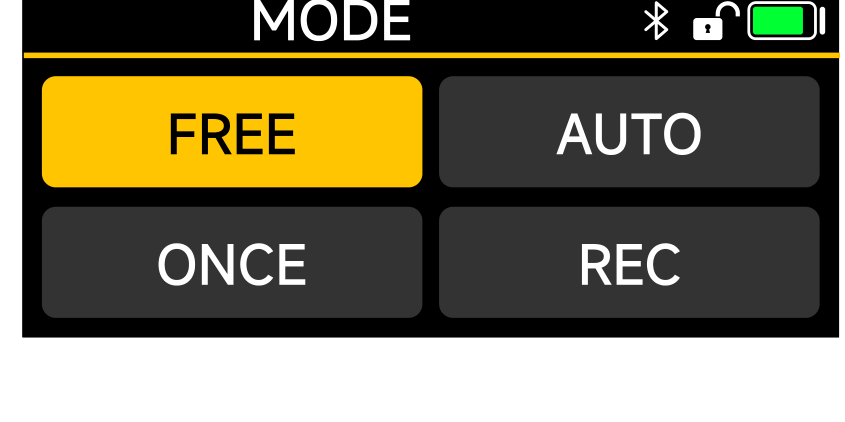
The Timecode menu sets the parameters for timecode synchronization. It has three fields: MODE, GROUP, and FPS.
Mode
- Free: the device runs its own timecode. It cannot be reset, does not accept an external timecode signal, and does not sync wirelessly.
- Auto: the default setting. Wired or wireless timecode is recognized automatically for synchronization.
- Once: all equipment syncs to the master timecode within a few seconds. Wired synchronization runs once, while wireless can be used to keep updating the sync information.
- Rec: timecode runs during playback and recording, and stops when not recording. In this mode timecode cannot be synchronized by wired or wireless means.
Group
Groups A to H keep your timecode organized. Only equipment in the same group can synchronize with each other. When you connect over Bluetooth to Sidus Audio, you can sync all equipment through the app without the group limitation.
FPS
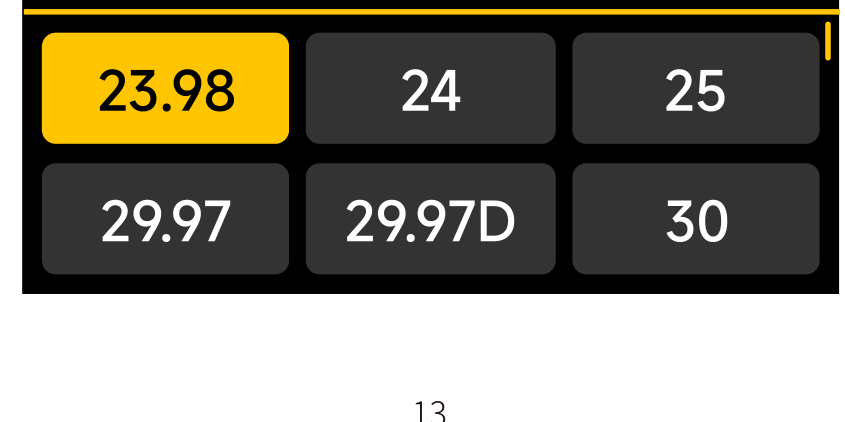
Set the frame rate to match your cameras. Options are 23.98, 24, 25, 29.97, 29.97DF, 30, 47.95, 48, 59.94, 59.94DF, 50, and 60 fps, where 29.97DF is the drop-frame mode. The system default is 25, but set a rate that matches your project in advance. For a full walkthrough, see [PR-2] Timecode Settings.
Playback
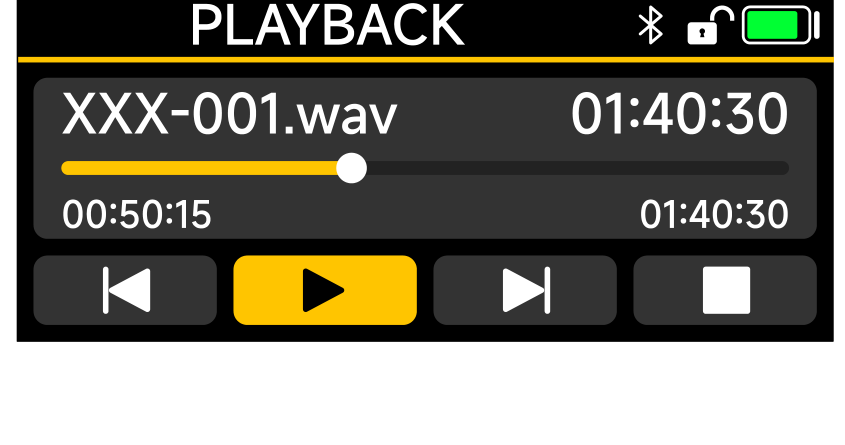
The Playback menu browses recordings on the card by date folder. Enter a date folder and select a file to review it. In the player:
- Short press the wheel to play or pause the clip.
- When paused, scroll the wheel to select the previous or next clip, the play button, or stop.
- During playback, scroll the wheel to fast forward or rewind through the clip.
Input
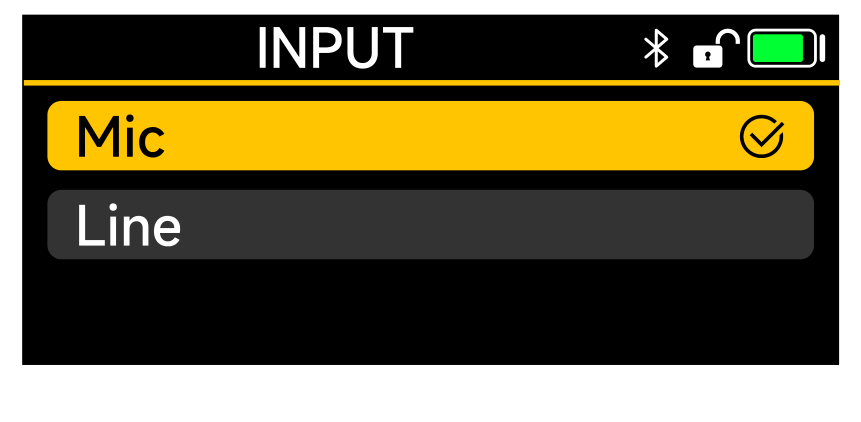
The Input menu switches the driving voltage and input type to match your source. Choose Mic for a microphone or Line for a line-level source.
Output
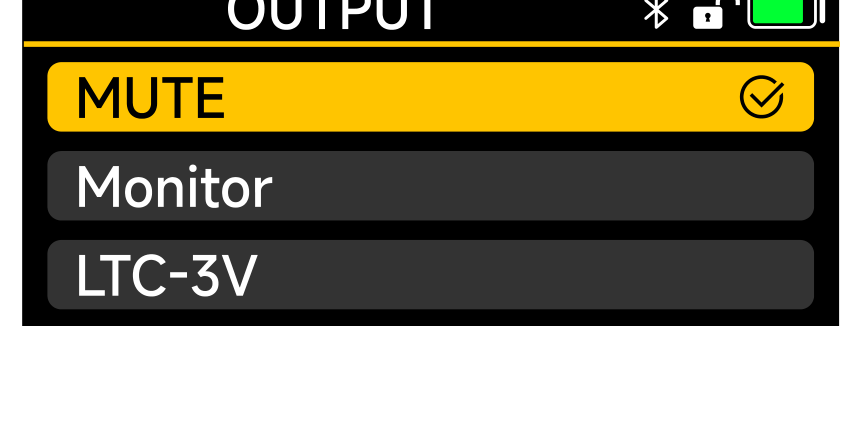
The Output menu sets what the output port sends:
- Mute: no output.
- Monitor: headphone monitoring.
- LTC-3V: a 3V timecode (LTC) signal for syncing another device.
When the double throw switch is set to Thru Mode, the microphone input audio can be output directly from the audio output port.
Monitor
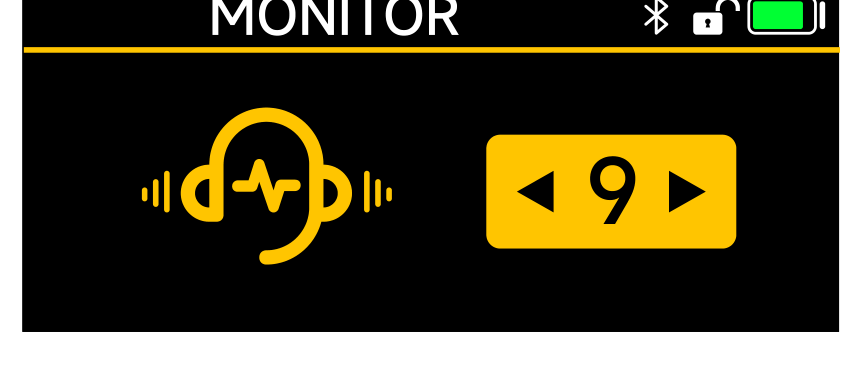
The Monitor menu adjusts the headphone monitor volume across 11 levels (1 to 11). The default is level 9.
Color
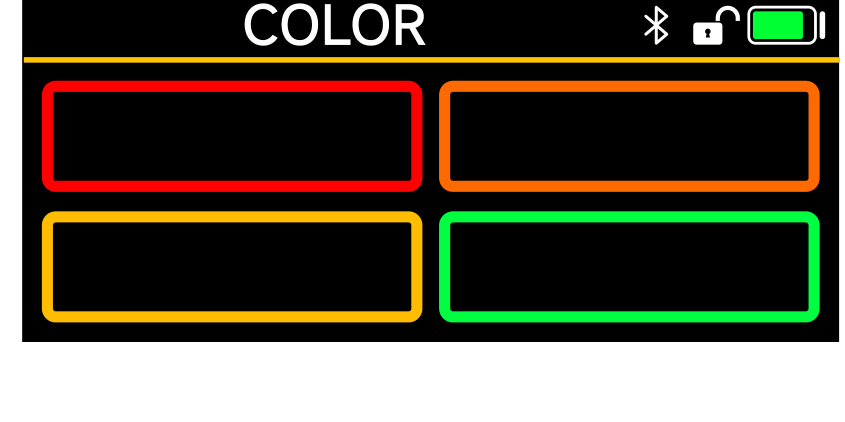
The Color menu assigns a color marker that appears on the frame rate box of the main interface. On a multi-unit shoot, colors help you tell your recorders apart at a glance and avoid mix-ups.
Bluetooth (BT)
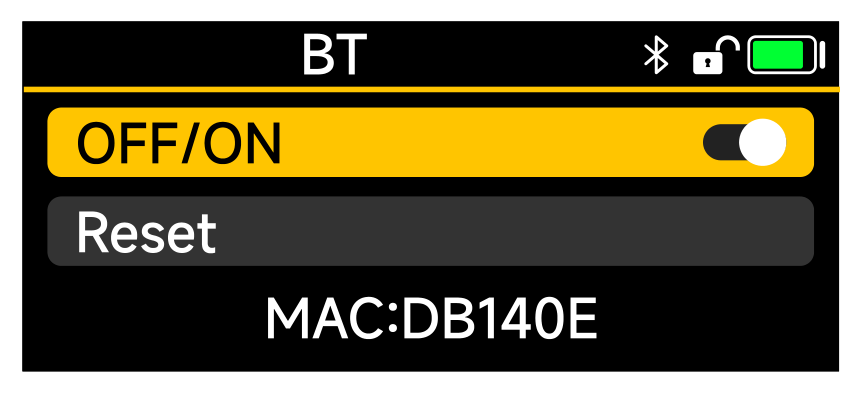
The BT menu turns Bluetooth on or off. Bluetooth is on by default and lets the PR-2 connect to the Sidus Audio app. To reset Bluetooth, select Reset and confirm YES; a SUCCESS message means the reset is complete. The MAC address shown is the unit's unique hardware identifier, so you can tell devices apart when pairing.
Recording Mode (MODE)
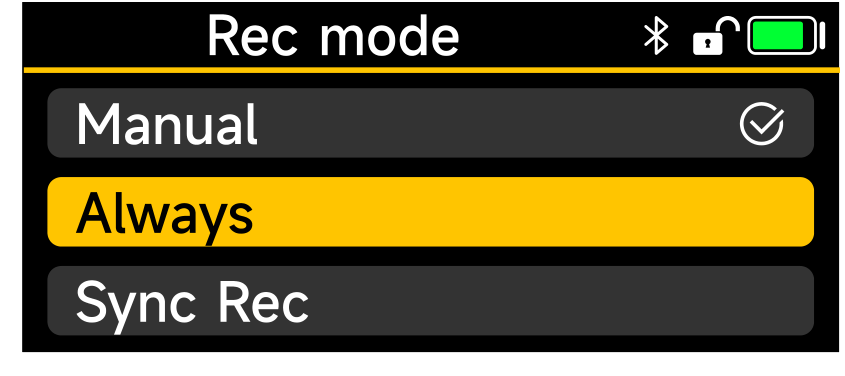
The MODE menu holds the recording parameters:
- Track: choose Mono for a single-track output or Stereo for a two-track output.
- Bit Depth: choose 24bit or 32bit Float, both at a 48 kHz sample rate.
- Rec mode: sets the default recording behavior. Manual (the default) starts and stops recording by hand, Always starts recording automatically at power on, and Sync Rec starts recording automatically after wireless synchronization.
Low Cut
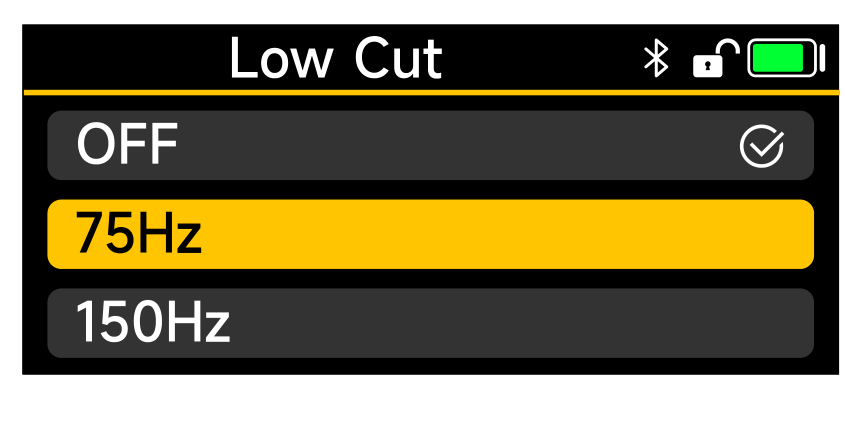
Low Cut sets a high-pass filter to remove low-frequency noise, with three options: OFF, 75Hz, and 150Hz. Use it carefully, since excessive low cut can affect the quality and realism of the original audio. Test in real conditions before relying on it.
Limiter
The Limiter (supported only when set to 24-bit mono) automatically monitors the audio and reduces peaks that exceed the set threshold, helping prevent distortion and overload. Heavy use can reduce dynamic range and make audio sound dull, so adjust it to suit the recording. For guidance on choosing among these options, see [PR-2] Recording Modes.
SD Card
The SD Card menu displays the storage used on the card. To format the card, select Format and confirm YES; a SUCCESS message means formatting is complete. Formatting the card in the PR-2 before use gives more stable recording.
System
The System menu holds device-wide settings.
LED
Turn the equipment's LED indicator on or off depending on your environment, for example to stay discreet on a quiet set.
DID
The DID is the editable device name. Use the wheel to choose each character, short press to save, and press the return (power) button to restore the previous name.
Battery
Select the battery type in use so the remaining battery life is calculated accurately. Four types are available:
- DEITY AA: DEITY lithium-iron batteries.
- Alkaline: normal alkaline battery.
- Lithium: 1.5V stabilized lithium battery.
- NiMH: 1.2V NiMH rechargeable battery.
Auto-Lock
Set how long the screen stays lit when idle. Options are Never, 15S, and 1min (default 15S). The PR-2 keeps your last setting after the first use.
USB
Set the USB-C behavior when connected to a computer:
- Reader: use the PR-2 as a card reader to transfer recorded files quickly.
- Audio: use the PR-2 as a USB sound card.
- TimeCode: pass digital timecode over USB.
Firmware
View the current APP Version and HW Version of the equipment.
Upgrade
The PR-2 can be upgraded from a USB disk or SD card (TF), with exFAT or FAT32 formatted USB disks supported. Download the latest firmware from the official website and place it in the root directory of the USB disk or SD card. Connect a USB disk with the USB-C to USB-A adapter, or insert the SD card, then select Upgrade and follow the on-screen prompts. If an exclamation mark appears, check that the card or disk is inserted correctly and that the upgrade file is present.
System Reset
Reset the device settings by selecting System Reset and confirming YES. A SUCCESS message means the reset is complete.
Date / Time
Set the current Date and Time. Enter each field with the OK (wheel) button, adjust the numbers with the wheel, short press to save, and press return to go back to the previous setting.
Language
Switch the display language between English and Simplified Chinese.