
Welcome to the Deity BP-TRX, a wireless bodypack that can transmit, receive, and record. This guide covers what comes in the box, a few care notes, and where to go next to set up your unit.
What's in the Box
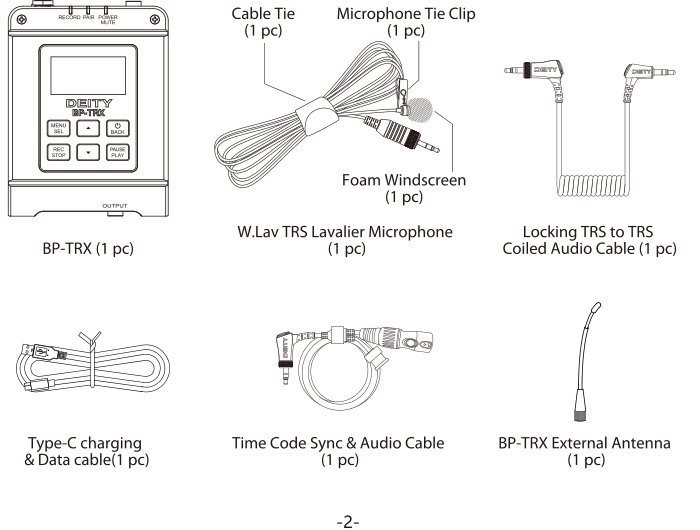
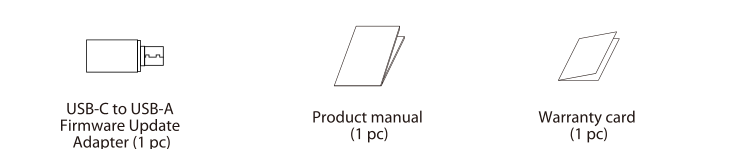
Your BP-TRX package includes the following items:
- BP-TRX bodypack transceiver (1 pc)
- W.Lav TRS Lavalier Microphone (1 pc)
- Foam Windscreen (1 pc)
- Cable Tie (1 pc)
- Microphone Tie Clip (1 pc)
- Locking TRS to TRS Coiled Audio Cable (1 pc)
- Type-C Charging & Data Cable (1 pc)
- Time Code Sync & Audio Cable (1 pc)
- BP-TRX External Antenna (1 pc)
- USB-C to USB-A Firmware Update Adapter (1 pc)
- Product Manual (1 pc)
- Warranty Card (1 pc)
Get to Know Your BP-TRX
The BP-TRX is a single, versatile unit: depending on the mode you choose, it can act as a transmitter, a receiver, a standalone recorder, an in-ear monitor, or a standalone timecode device. For a full breakdown of every button, port, LED, and connection, see:
Before You Begin
A few notes to keep your BP-TRX in good working order:
- Read this guide carefully and keep it for reference. Include it if you pass the product on to a third party.
- Do not place the product near any corrosive chemicals. Corrosion may cause the product to malfunction.
- Use a microphone or dry cloth to clean the product.
- Operate the product carefully. Dropping or hitting it may cause damage.
- Keep all liquids away from the product. Liquids entering the product can short-circuit the electronics or damage the mechanics.
- Store the product in a dry, clean, dust-free environment.
This product has been certified to comply with RoHS, CE, FCC, KCC, and Japan MIC standards.
Next Steps
- [BP-TRX] Hardware, Antenna, Microphone & Setup - install the antenna, connect the lavalier mic, and attach the belt clip.
- [BP-TRX] TRX Modes Explained - choose the working mode that fits your workflow.
- [BP-TRX] How to Set Up Timecode - keep audio and cameras in sync.