
The Deity BF1 is a passive broadband antenna built for professional UHF wireless systems. This guide covers what the antenna does, what comes in the box, and how to mount, connect, and position it for the best possible signal, whether you run it on a sound bag or fix it to an antenna bar in a rack.
Product Description
The BF1 is an antenna designed specifically for UHF wireless systems. It delivers strong signal reception and transmission and is especially suited to professional wireless recording. Its bandwidth covers 470 MHz to 1 GHz and it uses a vertical (linear) polarization, so it performs well in today's crowded RF environments. The body is molded from composite fiberglass, which keeps it lightweight while staying rugged.
Features
- Broadband gain antenna with a 1/4 inch thread port for mounting.
- Average gain of 2.2 dBi, omnidirectional and passive.
- Filter covers 470 MHz to 1 GHz.
- Made of composite fiberglass, rated IP67.
Because the BF1 is passive, it needs no power and can be used on either the receive side (for your wireless mic receivers or antenna distribution) or the transmit side (for IFB and IEM systems).
What's in the Box
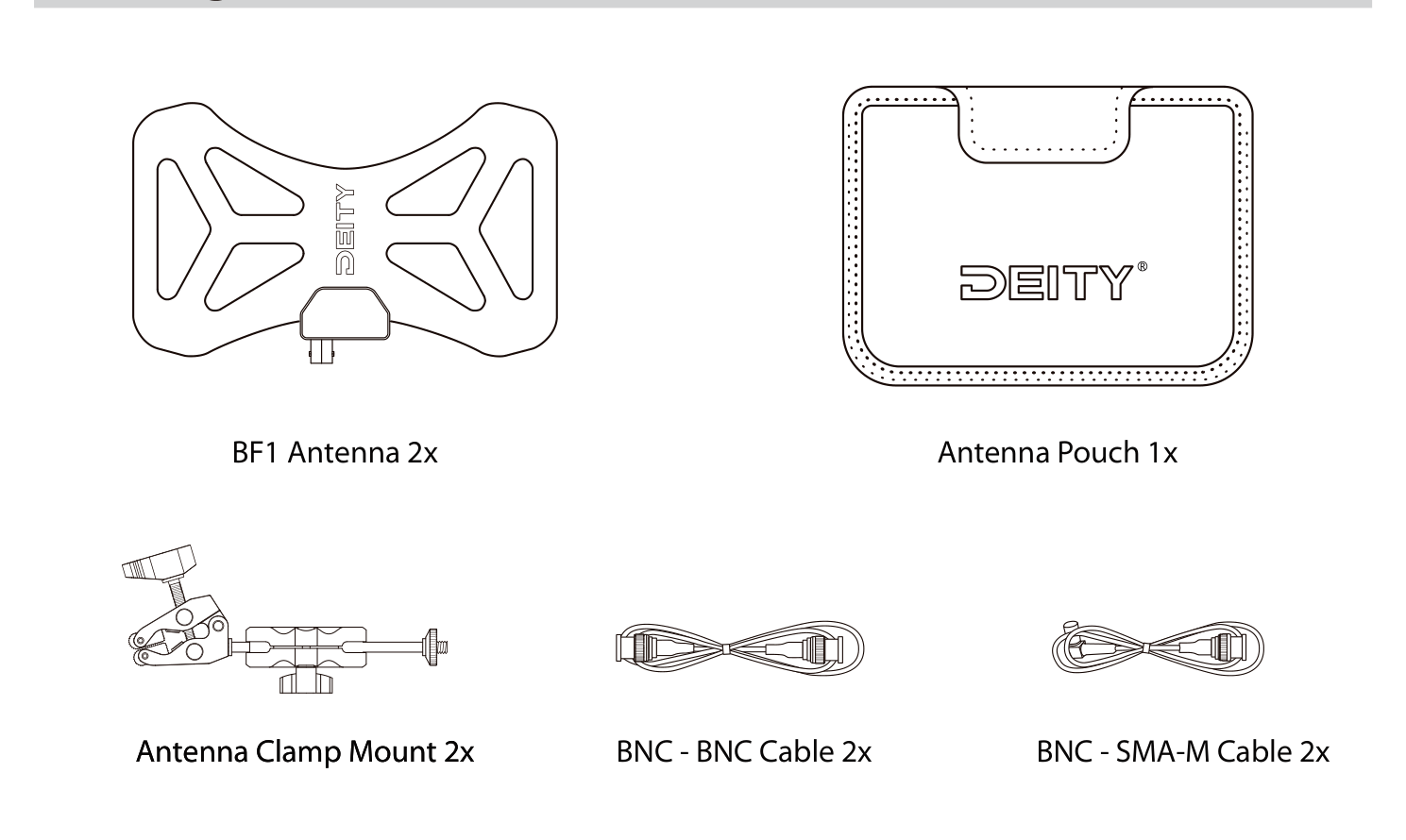
- BF1 Antenna (2 pcs)
- Antenna Pouch (1 pc)
- Antenna Clamp Mount (2 pcs)
- BNC to BNC Cable (2 pcs)
- BNC to SMA-M Cable (2 pcs)
Setup
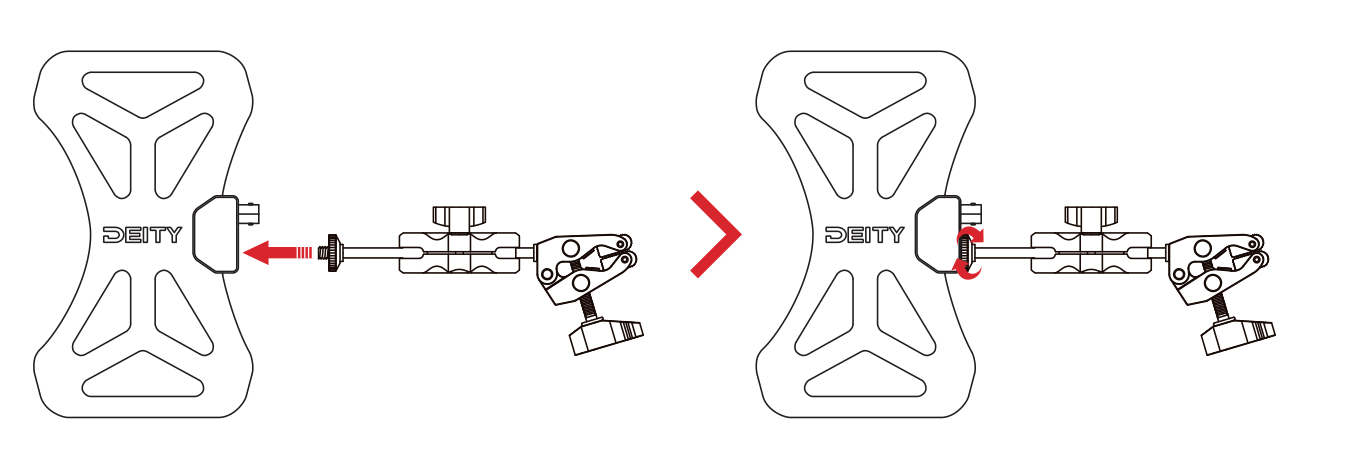
1. Attach the clamp mount
Screw the supplied clamp mount onto the 1/4 inch thread port on the back of the BF1 antenna until it is snug.
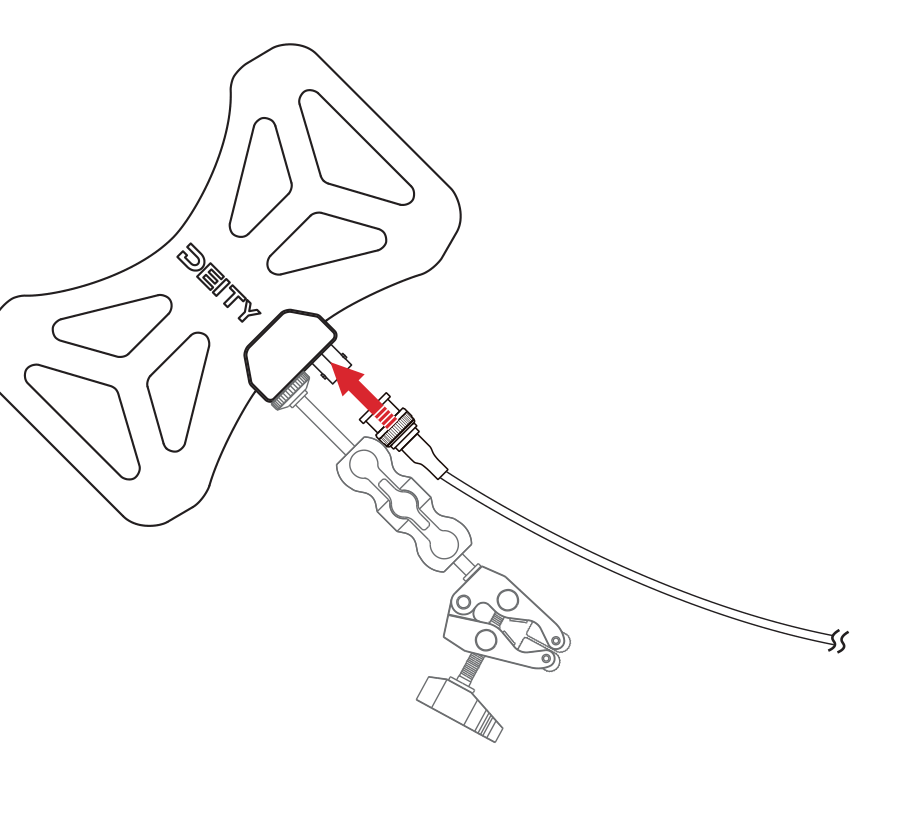
2. Connect the BNC cable
Connect a BNC cable to the antenna's BNC connector, then run the other end to your receiver or antenna distribution. Use the BNC to BNC cable for equipment with a BNC input, or the BNC to SMA-M cable for gear that uses an SMA antenna port.
Mounting Options
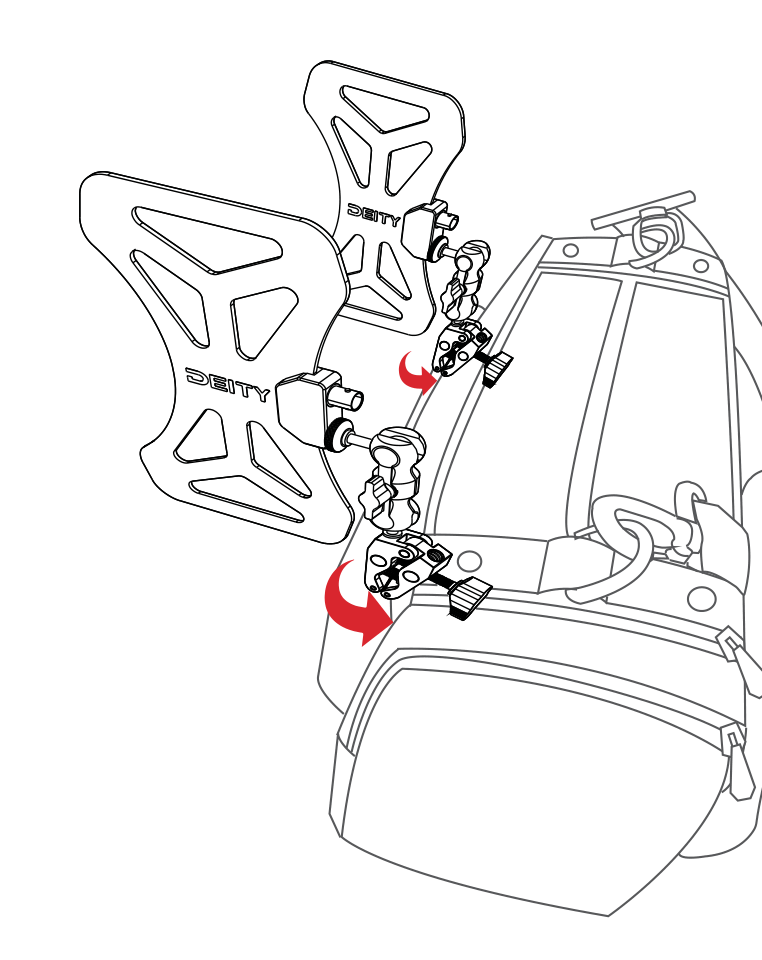
On a sound bag
Fix the clamp mounts to your recorder bag and lock them in a stable position. Spacing the two antennas apart on either side of the bag gives your receivers good diversity separation.
On an antenna bar
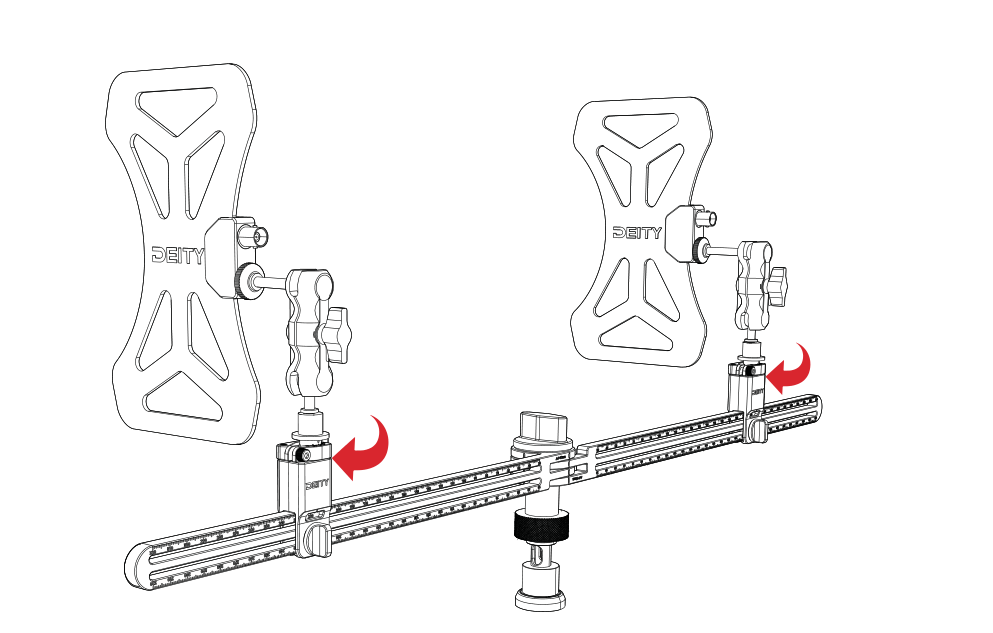
For a rack or cart setup, remove the clamp from the mount and screw the mount directly to your antenna bar. Position the two antennas with space between them for diversity separation.
Turn On and Test
- Turn on your receiver and test the signal strength.
- Test reception across a range of distances and locations to confirm solid coverage.
Adjustment and Optimization
- Adjust the antenna angle for the best signal reception based on your environment and needs.
- If you run into signal interference, try moving the antenna to a new location or changing your channel.