
2.1 Operation Procedure
- Build a devices network: Turn on the Bluetooth of mobile terminal, reset the Bluetooth of audio device, click "Add" button
 under the "All Devices" topbar, App will search and display the pairable device nearby. Users can tick target devices then click "Set Up" button to load device configuration.
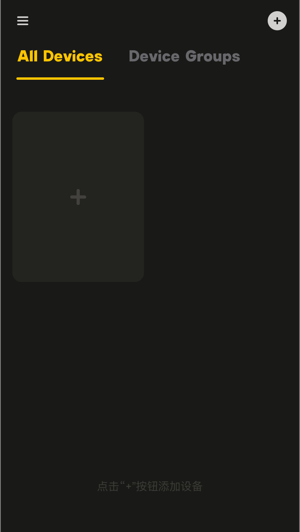
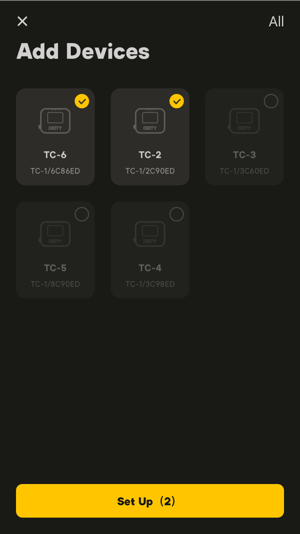 2.1.1 Home Page 2.1.2 Add Devices
- Manage device groups: When the device network has been established, click "Add" button in the "Device Groups" topbar to create a device group folder. The devices that already exist in App device network will be displayed on the page automatically. Users can tick the target devices to add them into the device group and then edit the device group. Different device groups can be used for managing audio devices in different scenarios.
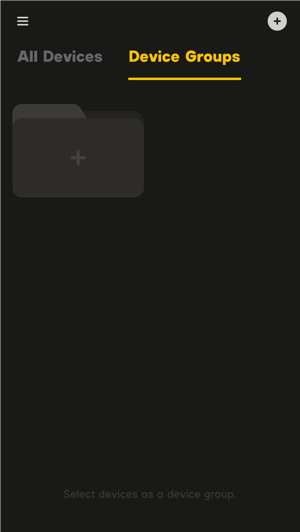
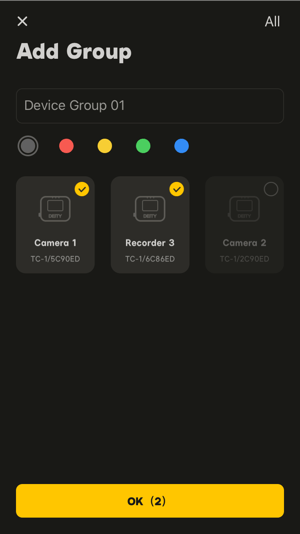 2.1.3 Devices Groups 2.1.4 Add Group
- Monitoring & control: The configured devices in the App can be controlled centrally by clicking "Devices" bottombar and classified monitoring by clicking "Workstation" bottombar.
- Under "Devices", the devices in "All Devices" and "Device Groups" will be extensively displayed on the page in the form of device card, so users can view the device status easily and operate controlling simply;
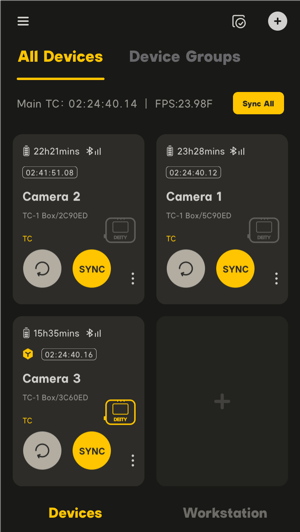 2.1.5 Devices
-
- Under "Workstation", all devices will be classified automatically based on the working modes supported,then be displayed on the page in the form of monitoring bar. In addition to simple operation, users can also view the current running parameters of devices. 2.1.6 Workstation
- Under "Workstation", all devices will be classified automatically based on the working modes supported,then be displayed on the page in the form of monitoring bar. In addition to simple operation, users can also view the current running parameters of devices.
2.2 Workspace
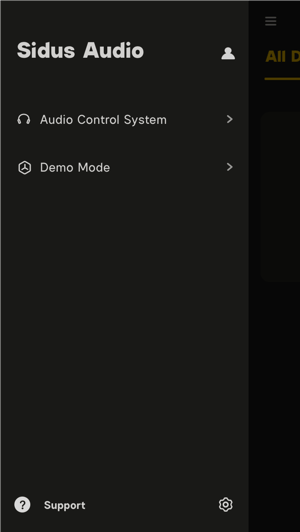
Sidus Audio™ provides users with two functional modules for audio operatoring: Audio Control System and Demo Mode, which are displayed to users in the workspace together with Users Personal Center, Support, Settings.
- Audio Control System: Support real-time monitoring and accurate control of audio devices;
- Demo Mode: Simulate and experience the entire work process without any device;
- Users Personal Center: Set and manage personal account information, etc;
- Support: Visit Sidus Audio™ official website for quick query and feedback;
- Settings: For details, please refer to 4. Settings and Personal Center.
 2.2.1 Workspace