
4.1 Settings
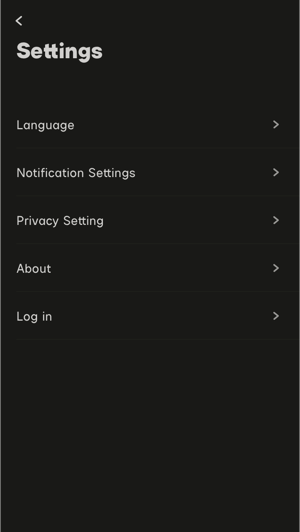
Users can perform Language setting, Notice setting, Privacy setting, About (view software information) and logout operations after clicking Setting button icon in the workspace.
 4.1 Settings
4.1.1 Language Setting
Click Language setting to switch App language between English, Simplified Chinese, Traditional Chinese or auto mode. Switching will take effect immediately.
4.1.1 Language Setting
4.1.2 Privacy Setting
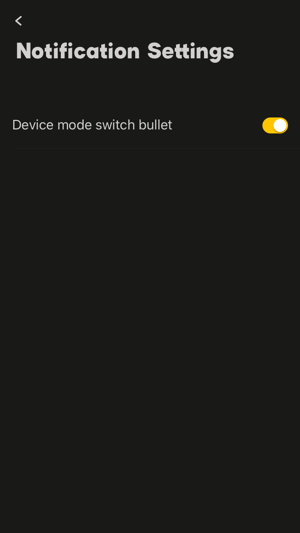
Users can view User Experience Optimization Plan in Privacy Setting. Click the User Experience Optimization Plan guide field to view the specific content of the plan. Sidus Audio™ can collect the user's data reasonably for user experience optimization if "User experience optimization plan" button  is on.
 4.1.2 Privacy Setting
4.1.3 About
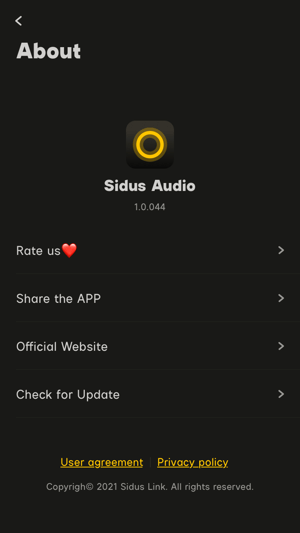
User can rate us, share and update the App, or visit the App's official website in About function.
 4.1.3 About
4.1.3.1 Rate us
Visit the App Store by clicking "Rate us" and score the App. User's rate means a lot in optimizing Sidus Audio™.
4.1.3.2 Share the App
Share Sidus Audio™ to your friends through the System's function via "Share App".
4.1.3.3 Official Website
Visit the official website of Sidus Audio™ by "Official Website" to know more information.
4.1.3.4 Check for Update
Update the App to the latest version by "Check Update".
4.1.4 Sign out
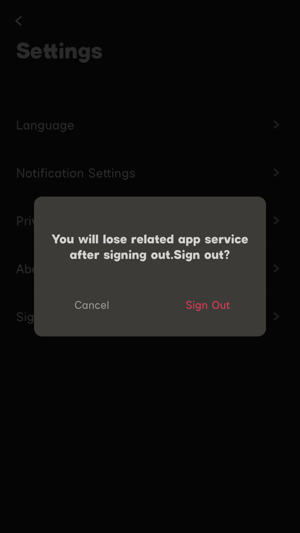
Log out the current account by "Sign out". For details, please refer to 3.1.3 Login & Logout.
 4.1.4 Sign out
4.2 Users Personal Center
Click "Users Personal Center" icon in the workspace to edit personal data or change account & password.
4.2 Users Personal Center
4.2.1 Edit Profile
Modify and update personal data in "Edit profile". Your information could help optimize and improve Sidus Audio™ and we will surely kept properly.
4.2.2 Account and security
For details, please refer to 3.1.4 Account & Security.